Get paid on time, without chasing anyone
Automatic charges, late fees that apply themselves, and statements residents download without asking you. Delinquency stops being a full-time job.
The same data, in every app
You see collections unit by unit; residents see their balance, pay, and download their receipt without asking you.
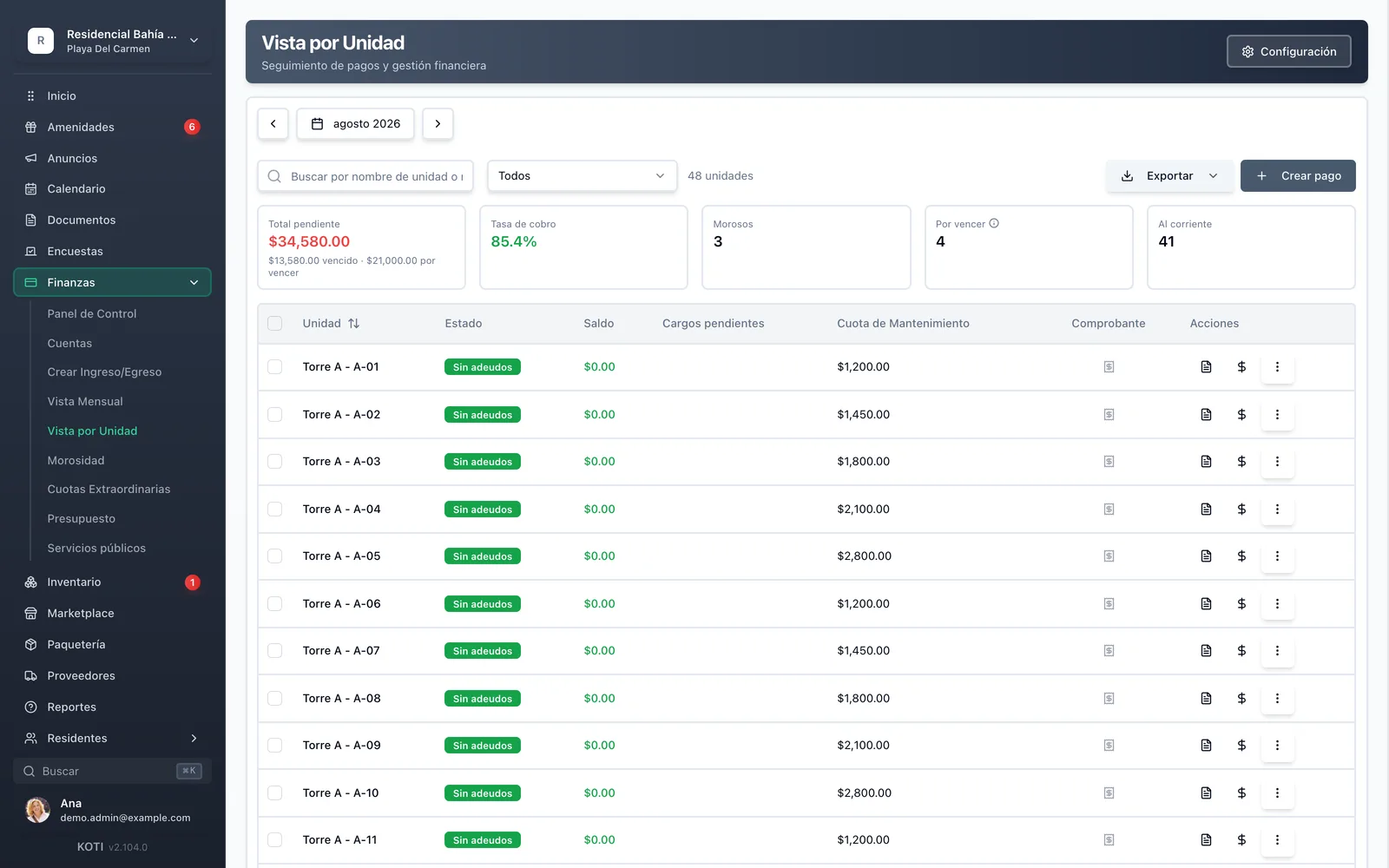
Collections unit by unit: balance, outstanding charges, payment proof and the month’s collection rate.
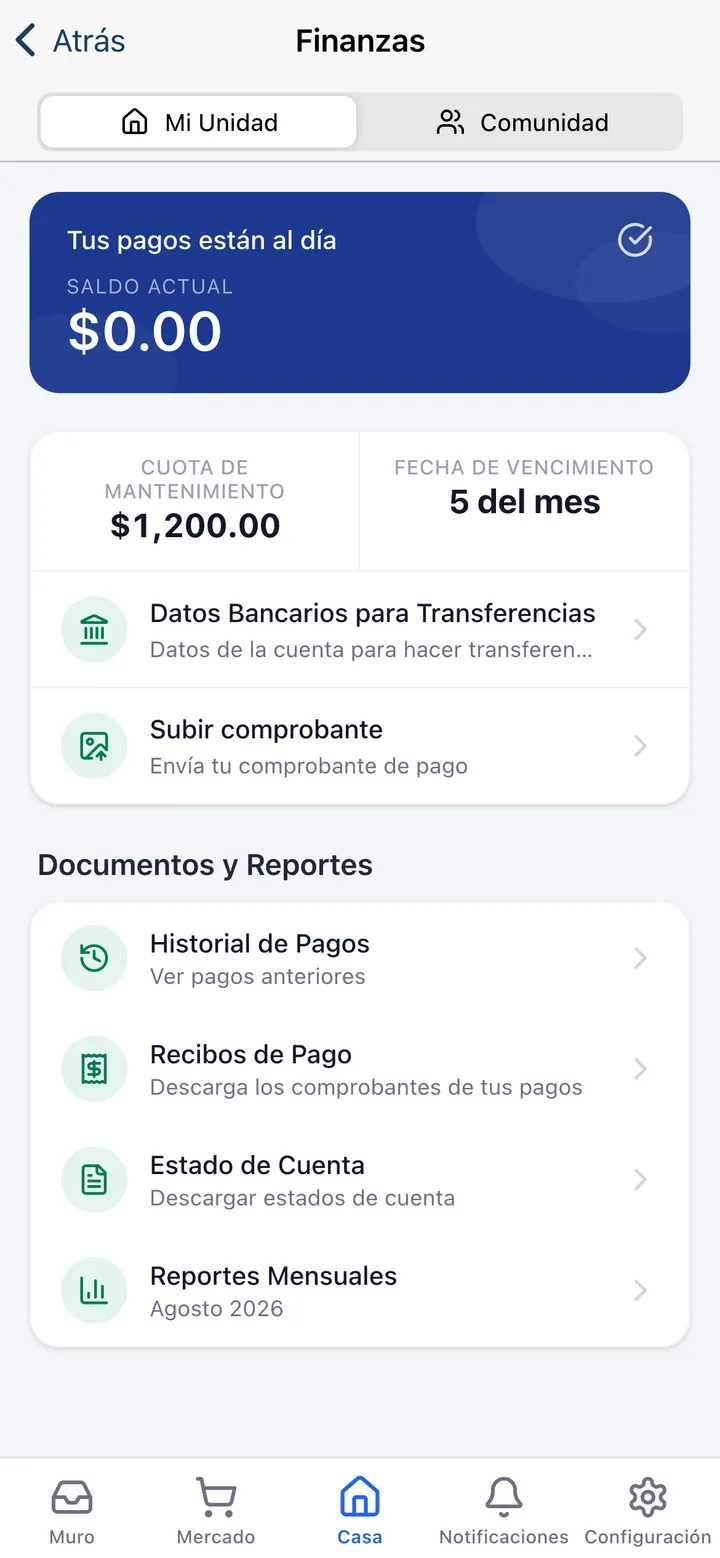
Residents see their balance, pay, and download their statement instead of emailing you.
Feature index
Everything this pillar covers. Every card leads to the detail.



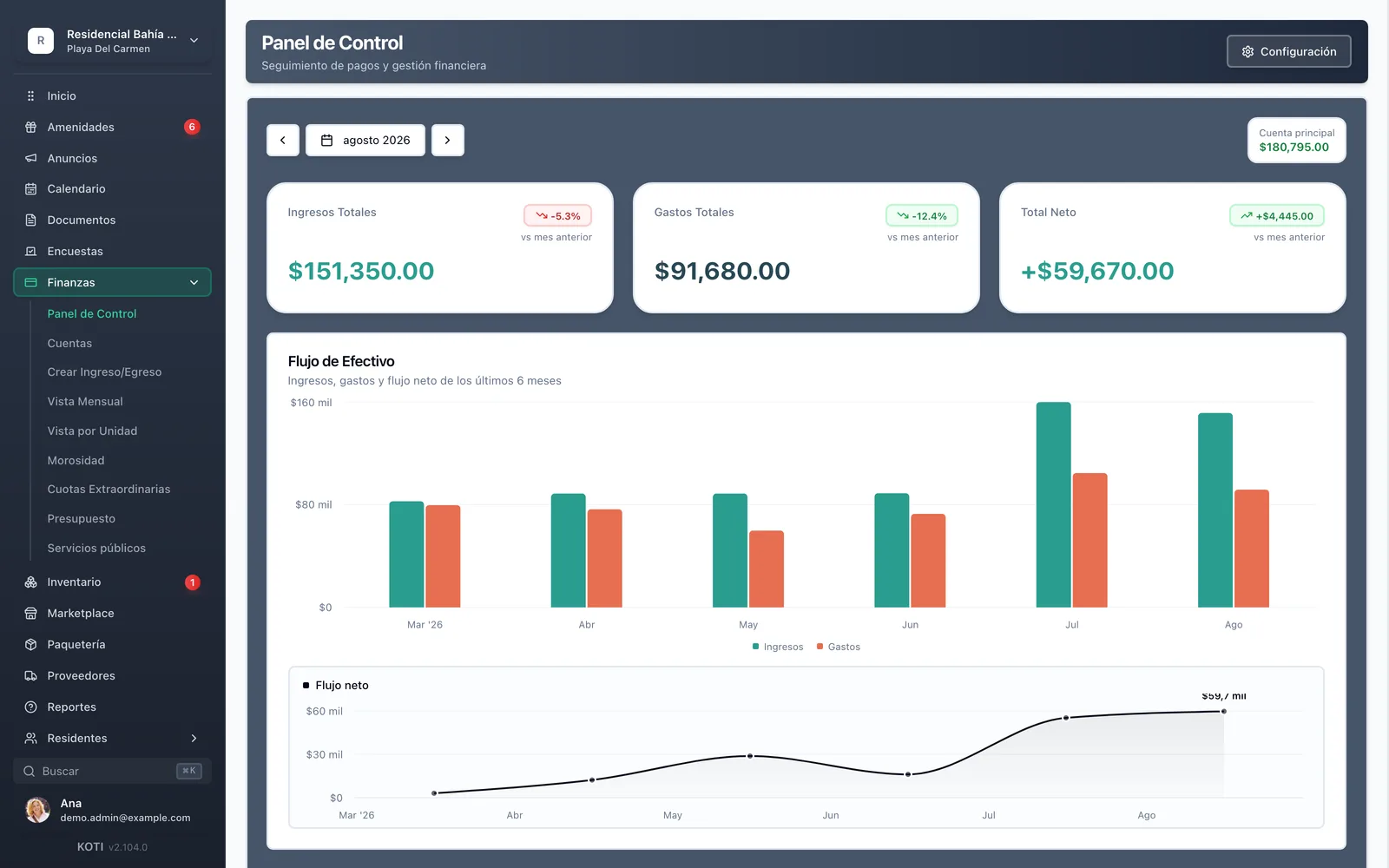



Fees & automatic charges
The monthly fee applies itself on the first
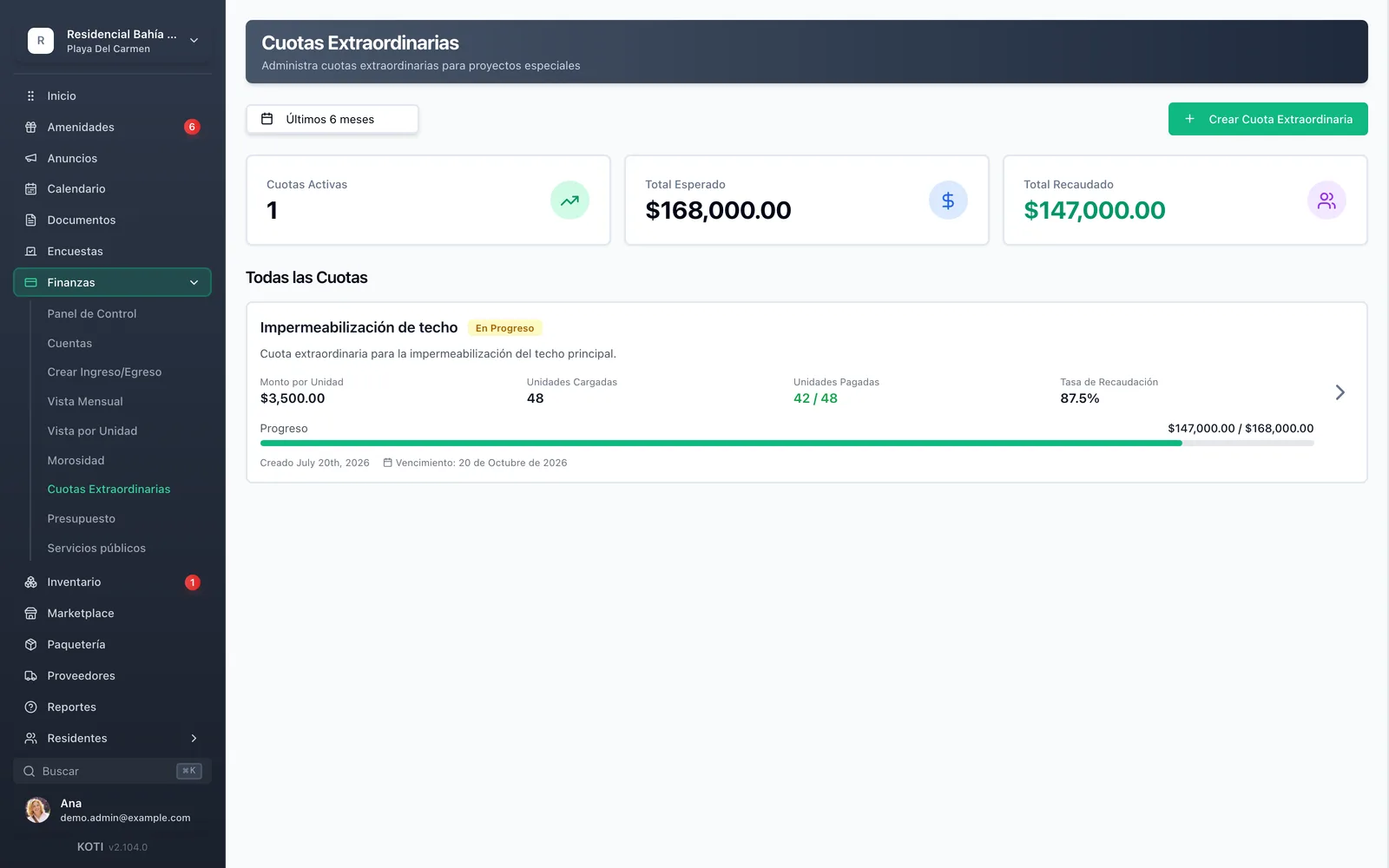
See the full page: Fees & automatic charges- Configure once and monthly charges apply to every unit automatically.
- Special assessments: one concept applied only to participating units, with per-unit amounts.
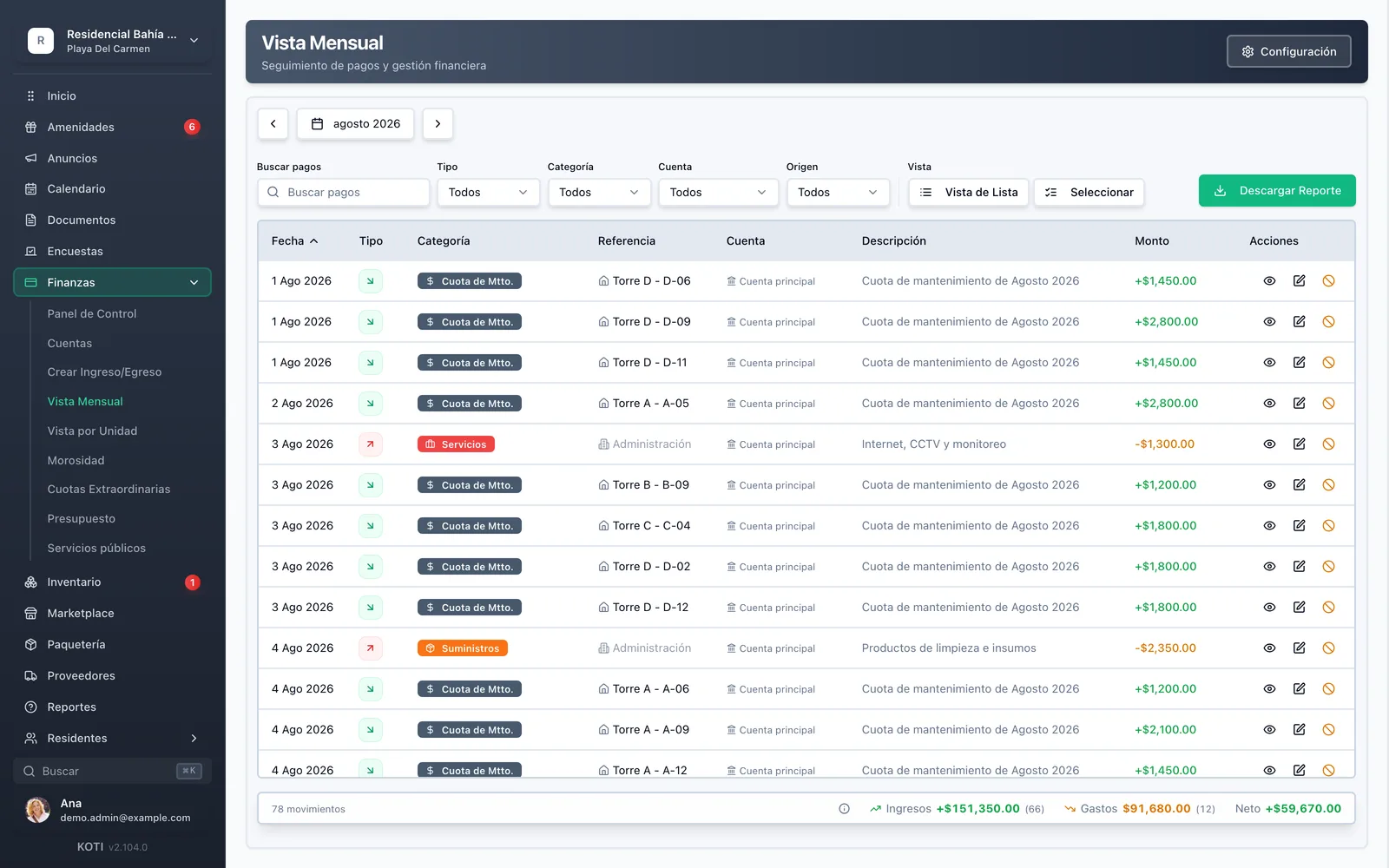
Delinquency & late fees
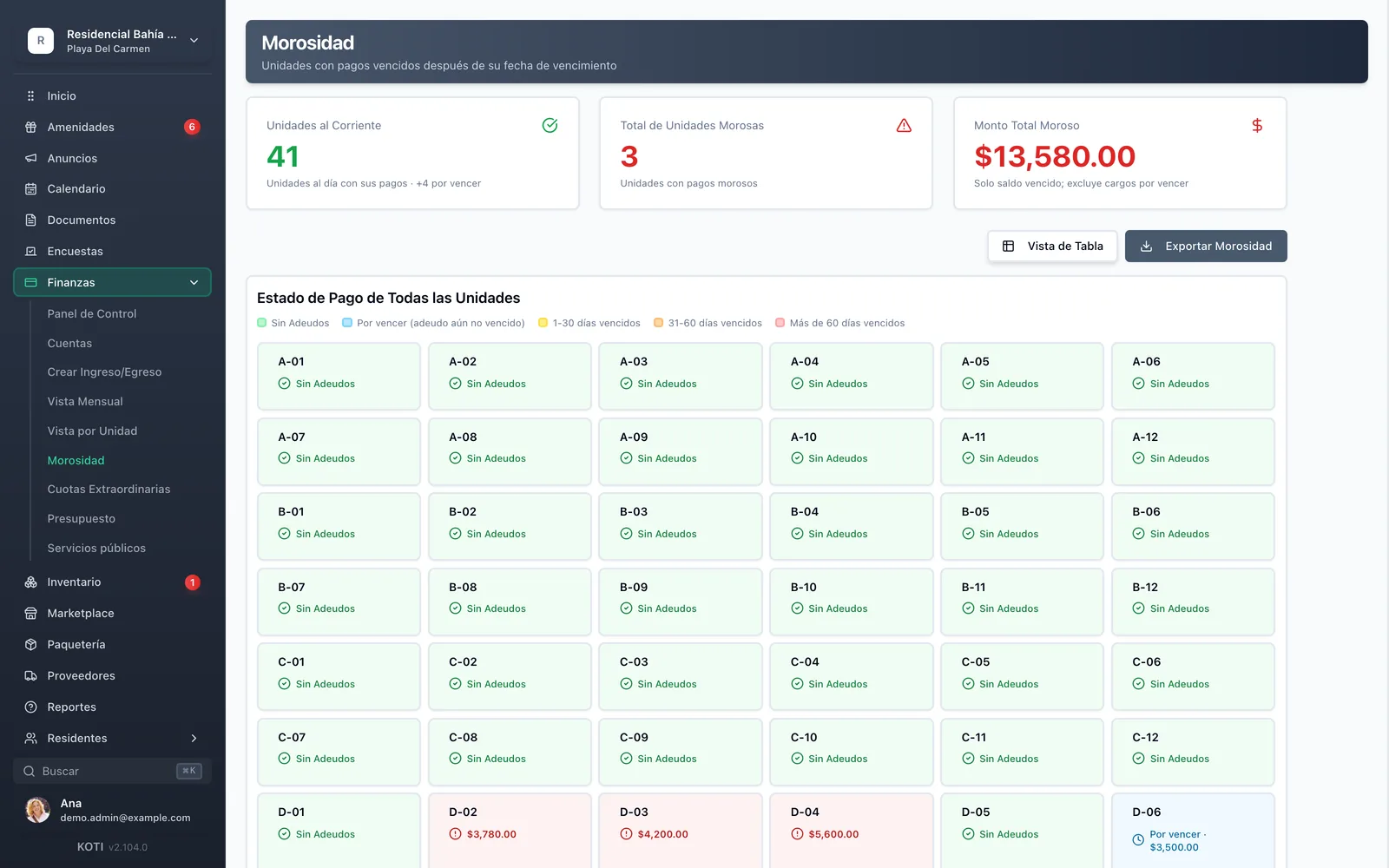
A delinquency map and late fees that apply themselves
See the full page: Delinquency & late fees- A visual map: see at a glance which units are current and which aren’t.
- Configurable late fees — due date, flat amount or a percentage of the fee — applied automatically the day after the deadline.
Payments, CFDI & collections
Fee-free SPEI, one-click proof approval and CFDI 4.0
See the full page: Payments, CFDI & collections- Direct SPEI to the community’s own CLABE with proof upload: no gateway fee.
- In-app payment by SPEI or card through Stripe: in development. When it goes live, Koti will charge no application fee.
Statements & receipts
Automatic PDFs residents download themselves
See the full page: Statements & receipts- A per-unit statement generated automatically; residents download it from their app instead of emailing you.
- An automatic payment receipt on approval, with the community logo and the admin’s signature.
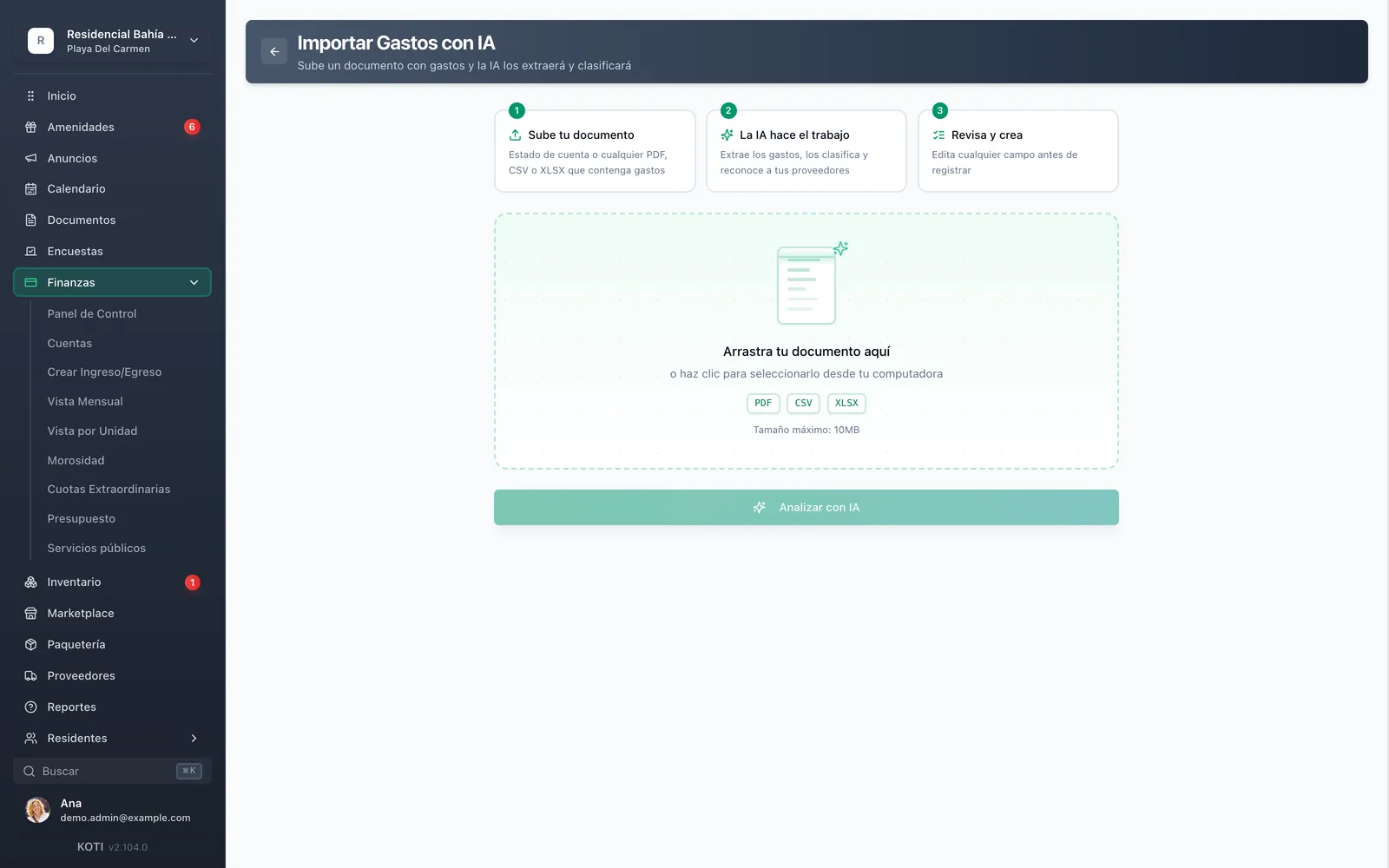
AI expense captureAI
Upload a PDF or CSV and Koti extracts the expenses
See the full page: AI expense capture- Upload bank statements or invoices as PDF or CSV; AI extracts and categorizes the expenses.
- Far less manual data entry at month-end close.
Reports & exports
A monthly report with charts, exportable to PDF and CSV
See the full page: Reports & exports- End-of-month financial report: income, expenses, net balance, late units and charts by type and category.
- Downloadable by residents too — transparency with no extra work.
Security & compliance
All communications encrypted and sensitive data protected in transit and at rest.
Personal data protection compliant with Mexican law (LFPDPPP).
AWS infrastructure with automatic daily backups.
Try it with your own community
Set up your community in minutes and try Koti free for 14 days. No card, no commitment.
No credit card required
You might also want