Three code types
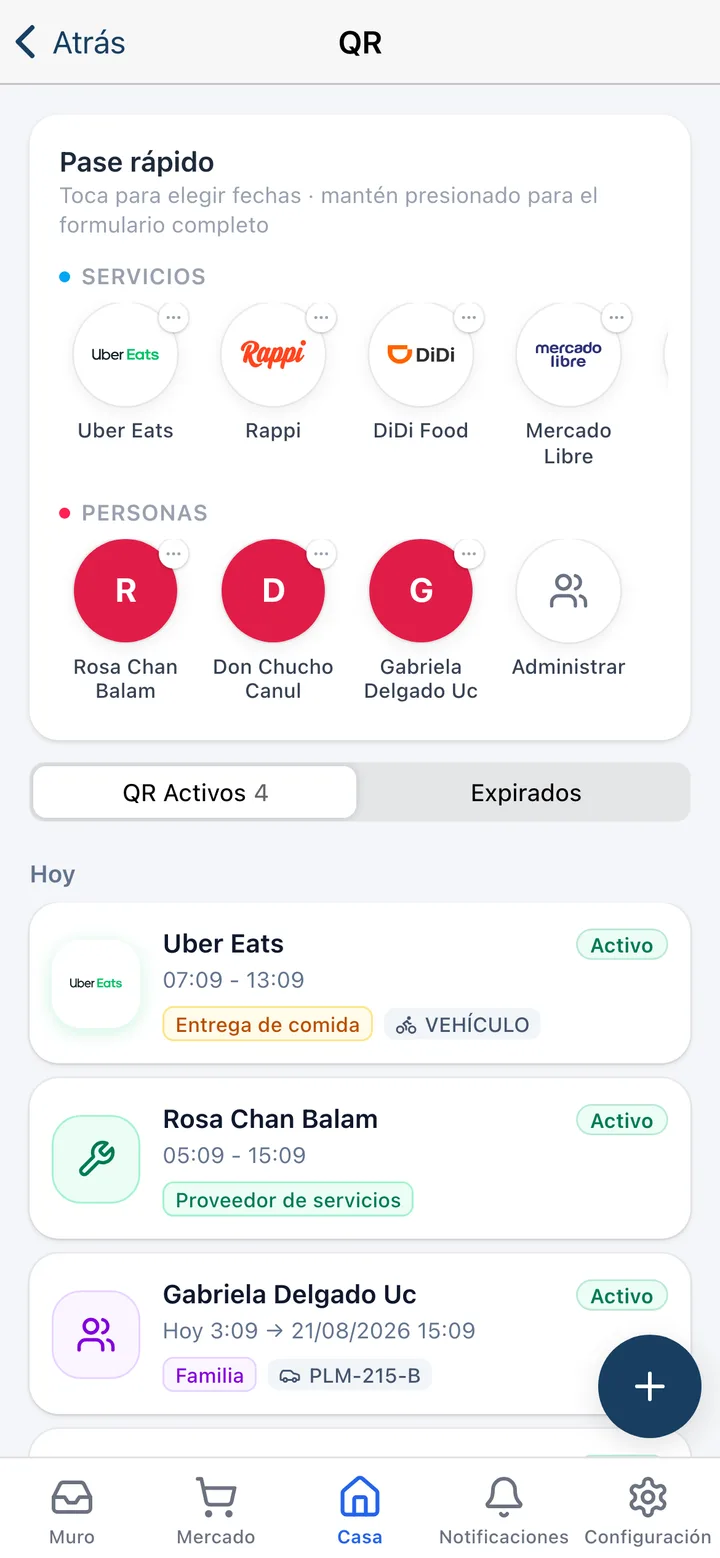
Single-use for a one-off visit. A date range for the contractor coming all week. And a party code: one code that admits many guests across many scans, so nobody has to generate thirty of them.
Operations · Access
Every visitor arrives with a code you control. Residents generate it from their app, the guard scans it at the gate, and you get a record of who entered, when and to which unit — no notebooks, no intercom calls.
No credit card required
The problem
Today
With Koti
Today
The gatehouse logs visitors in a notebook nobody ever reads again.
With Koti
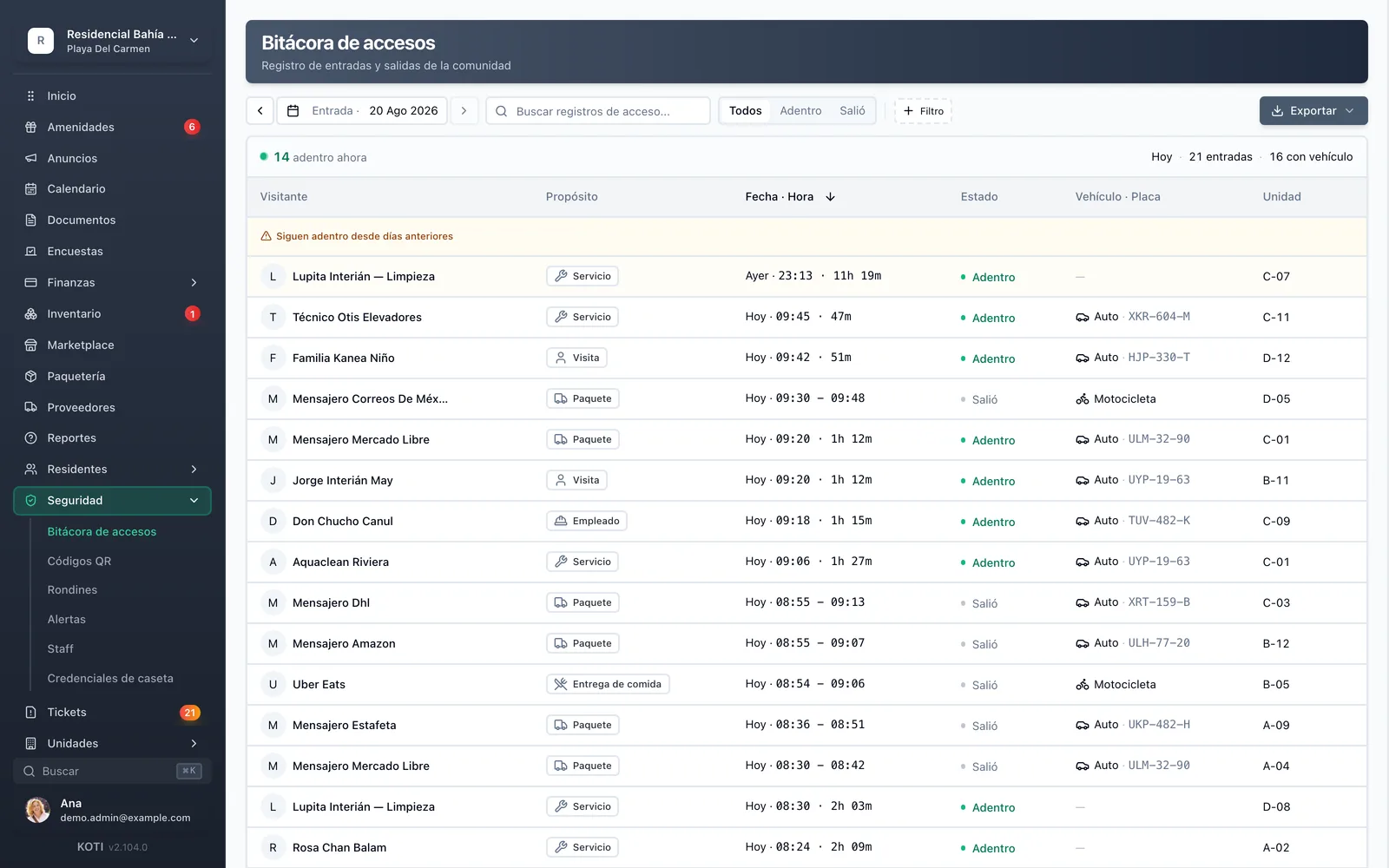
Every entry is logged with unit, time and visitor type, and stays searchable afterwards.
Today
The guard calls each resident to confirm a visitor while the queue grows at the gate.
With Koti
The code arrives pre-authorized by the resident: the guard scans and opens.
Today
A unit months behind on fees keeps bringing in visitors as if nothing happened.
With Koti
You can switch on code-generation blocking for units behind on fees, with a configurable grace period.
Resident
No call to management, no heads-up to the gate: they generate the code and share it over WhatsApp.
Generate
Admin
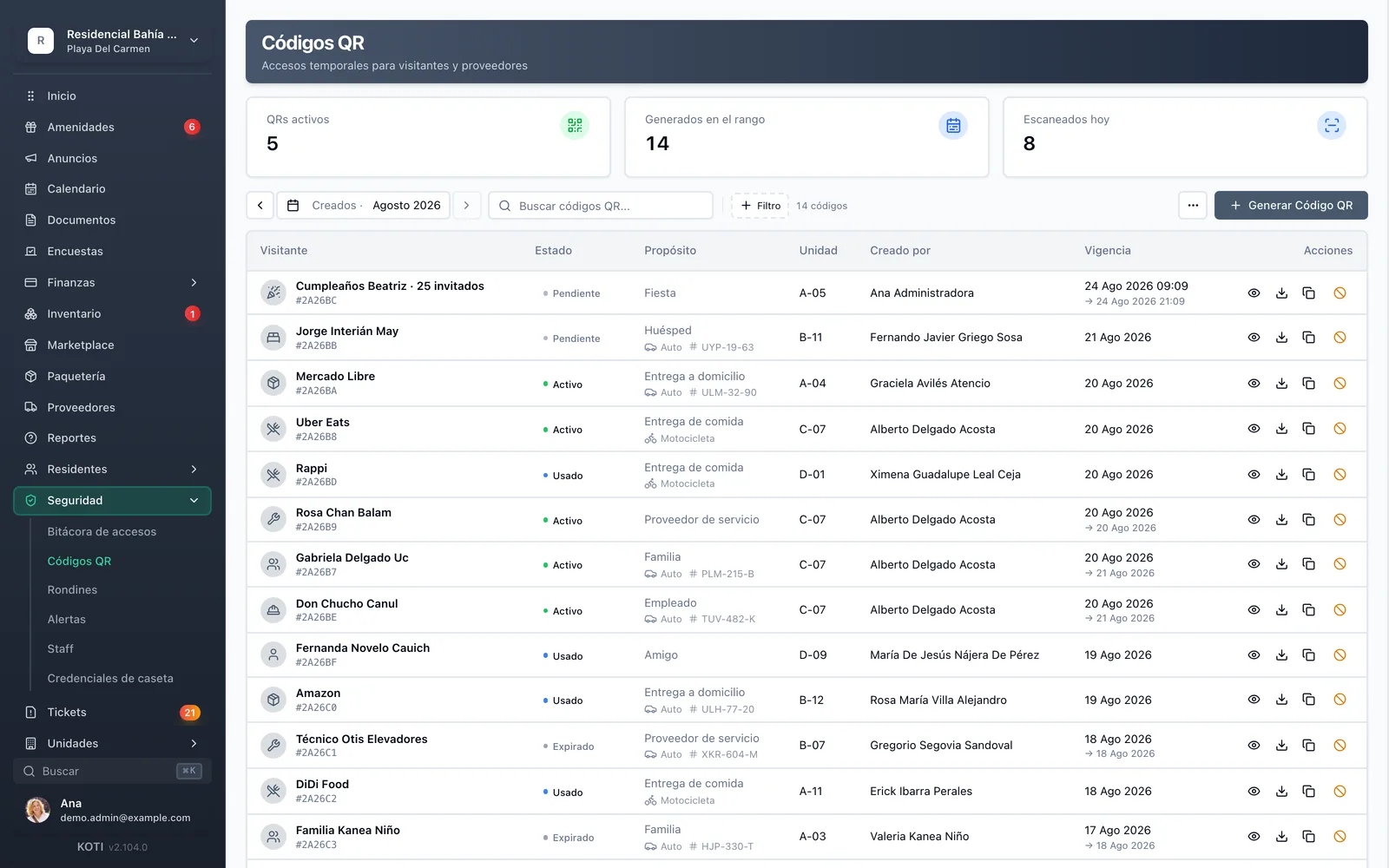
Who can generate codes, of which type, and what happens when a unit falls behind on fees.
01Rules
02Access log
Rules
Access log
Security
The gatehouse app clears the entry in seconds and files the record for you.
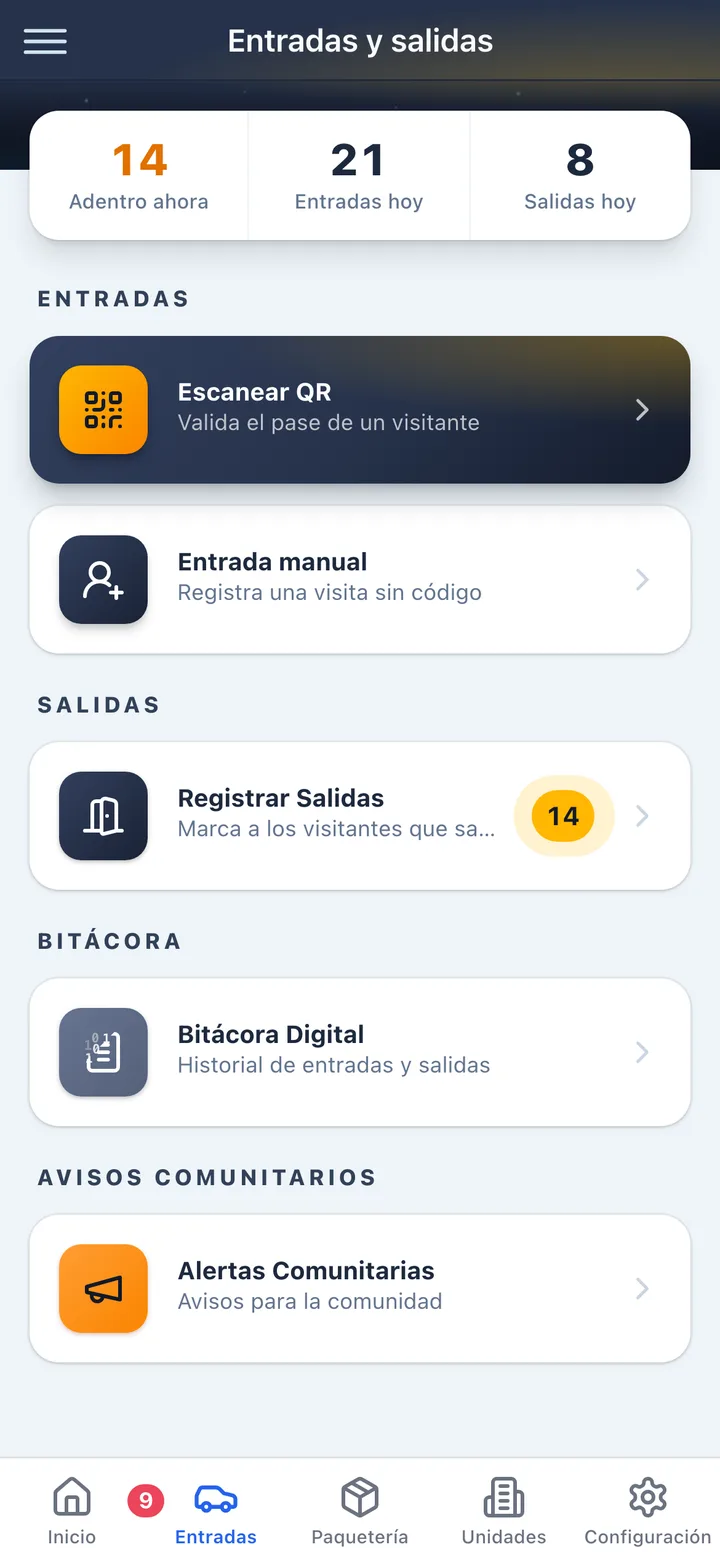
Gatehouse
In detail
Single-use for a one-off visit. A date range for the contractor coming all week. And a party code: one code that admits many guests across many scans, so nobody has to generate thirty of them.
Family, worker, delivery, vendor. The category travels with the code and turns the access log into real information about who actually enters your community.
Switch it on and a unit behind on fees loses the ability to generate visitor codes — after whatever grace period you set. It belongs to the same family of restrictions that can block amenity bookings: each one is enabled separately, so you decide how far the collection pressure goes.
Every entry is recorded with unit, time, visitor type and who authorized it. When there is an incident, the answer is in the history rather than in the memory of the previous shift.
Not every visitor arrives with a code. The guard registers the entry by hand from the same app and it lands in the same log, so there is never a second system on paper.
Residents register their vehicles and the directory is available at the gatehouse, so a known car does not have to identify itself every single time.
Built for Mexico
Access control is where a community’s security becomes tangible — and where most of the friction with residents is created.
Authorization travels inside the code, so the guard never interrupts the resident and the queue at the entrance stops growing.
The log lives in the platform behind role-based access, not in an open notebook on the gatehouse counter.
Both can generate codes for their unit, and the log records which of them did — which matters when the unit is rented.
Try Koti in your community today, without the headaches.
14-day free trial · No credit card required
Prefer to be shown around? Book a demoMessage us on WhatsApp
All communications encrypted and sensitive data protected in transit and at rest.
Personal data protection compliant with Mexican law (LFPDPPP).
AWS infrastructure with automatic daily backups.
Keep exploring
Go deeper
Set up your community in minutes and try all of Koti — no card, no lock-in.
No credit card requiredSee pricing