Operations · Gatehouse

The Security Guard App built for your vigilantes

A dedicated mobile app for your security guards. From the gate they scan resident and visitor QR codes, register incoming packages, walk their patrol rounds with photo evidence, and log every entry and exit — and everything syncs to your admin panel in real time.

No credit card required

runs on the guard’s own phone
No hardwareruns on the guard’s own phone
syncs to your admin panel
Real-timesyncs to your admin panel
every entry, parcel, round and alert
Fully loggedevery entry, parcel, round and alert
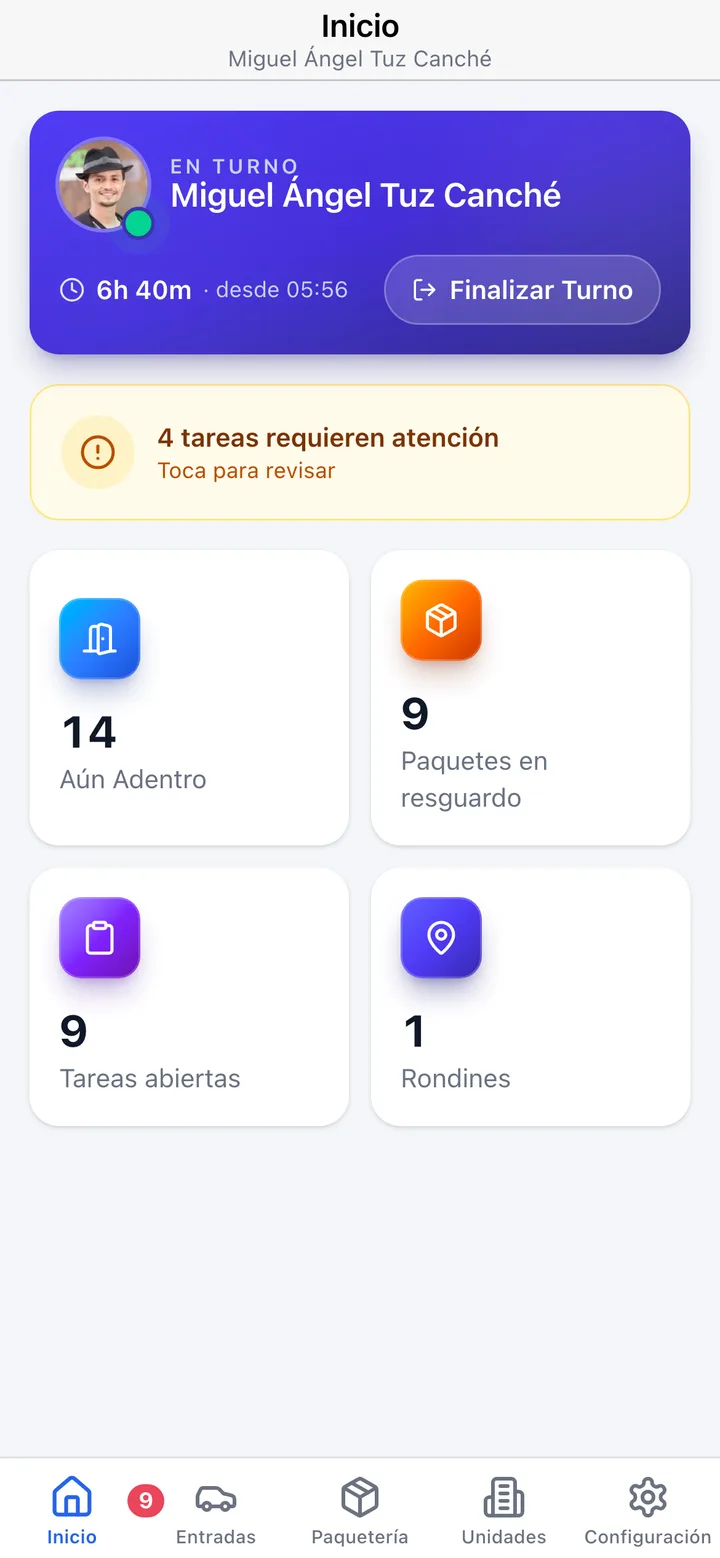
The Koti guard app home with the current shift, people inside, parcels at the gate and the day’s patrol rounds.

The problem

What changes on day one

Today

The gatehouse log is a notebook that fills up, goes in a drawer, and is never opened again.

With Koti

Every entry and exit lands in a log you can filter, search and export.

Today

Visitors waiting while guards manually check lists and make phone calls for authorization.

With Koti

The guard scans the code and instantly sees whether it is valid and which unit it belongs to.

Today

The patrol round gets written on a sheet taped to the gatehouse wall, if it gets written at all.

With Koti

The round is recorded with times, checkpoints, and photo evidence on the ones that require it.

Security

The guard runs everything from the gate

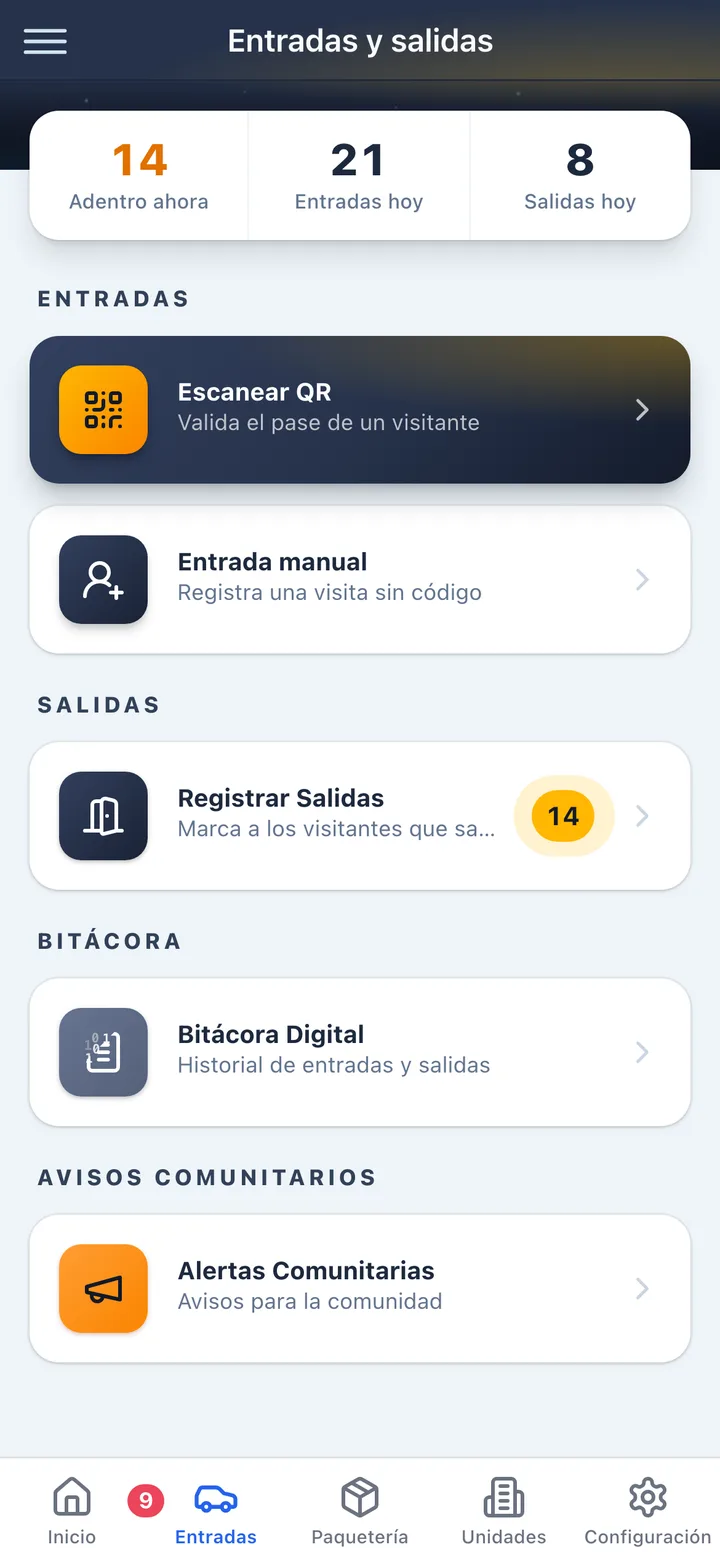
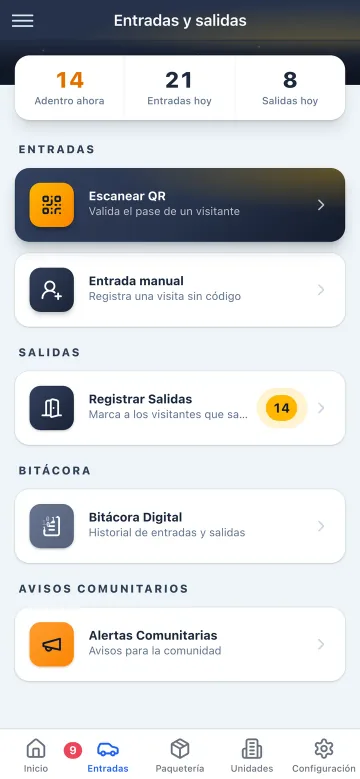
From the guard app, vigilantes scan resident and visitor QR codes, register manual entries and walk their rounds, without leaving the same device.

The Koti guard app showing entry and exit control at the gatehouse.

Entries

Scan, register, wave them through

  • QR scanning with the phone camera, with a clear message if the code expired, was already used, or is not valid yet
  • Manual entry with purpose, company, vehicle, plate, ID photo and either a unit or management as destination
  • As the plate is typed, the app flags whether the vehicle is registered and which unit it belongs to
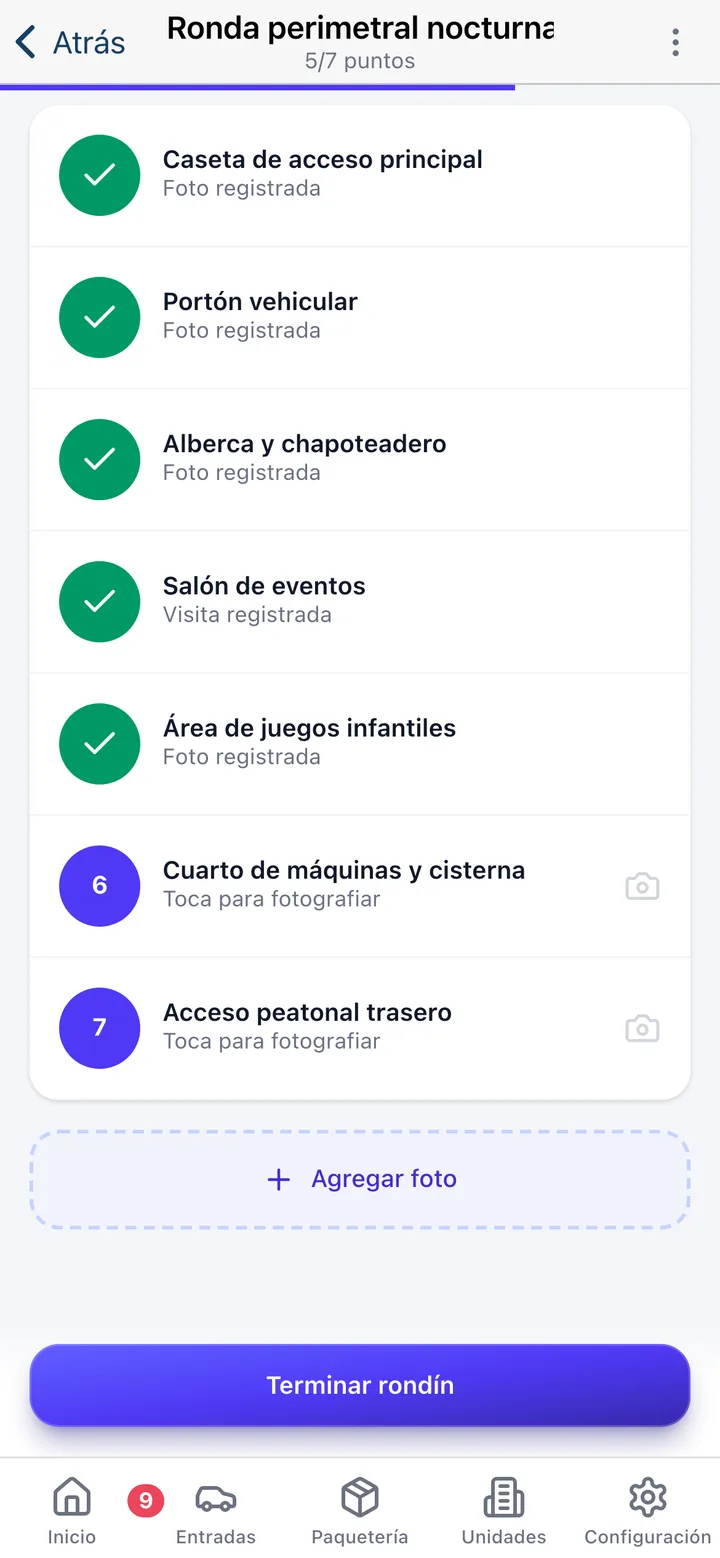
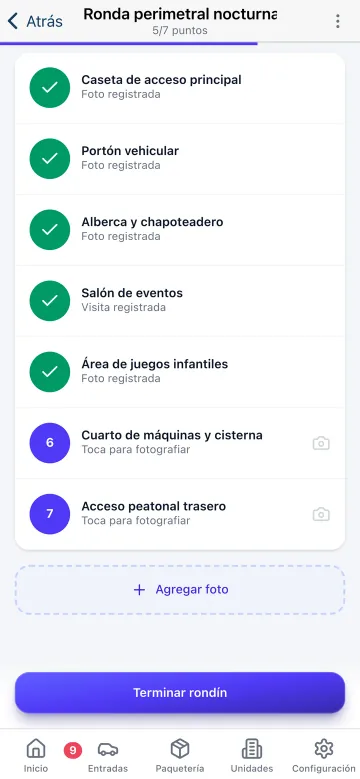
Patrol rounds in the Koti guard app showing the route’s checkpoints and progress.

Patrol rounds

The round, checkpoint by checkpoint

  • Routes built on a satellite map, on the building’s floor plan, or as a plain list of points
  • Checkpoints that require photo evidence and others that are just marked, depending on what management decides
  • A live progress bar, and on finishing it names the checkpoints left unrecorded before you save the closing note
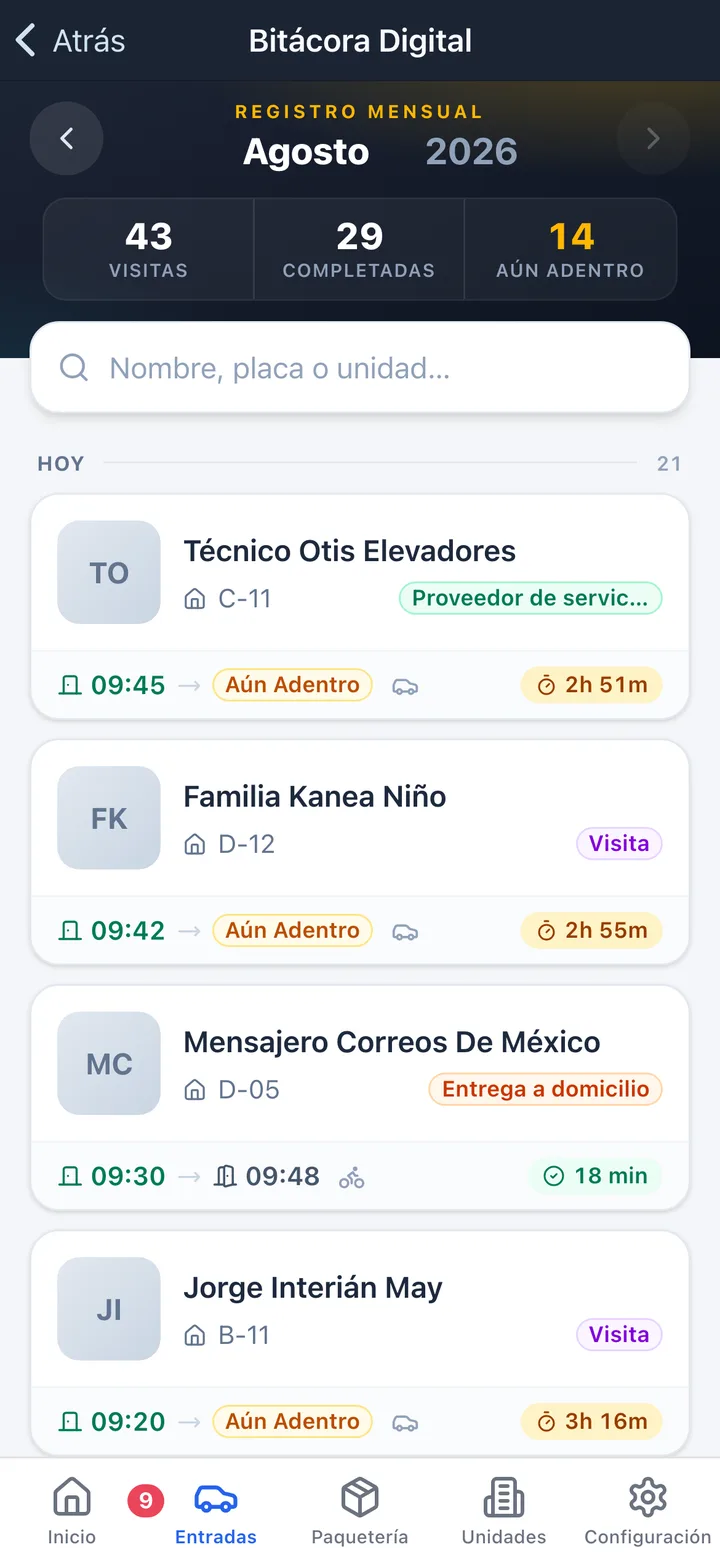
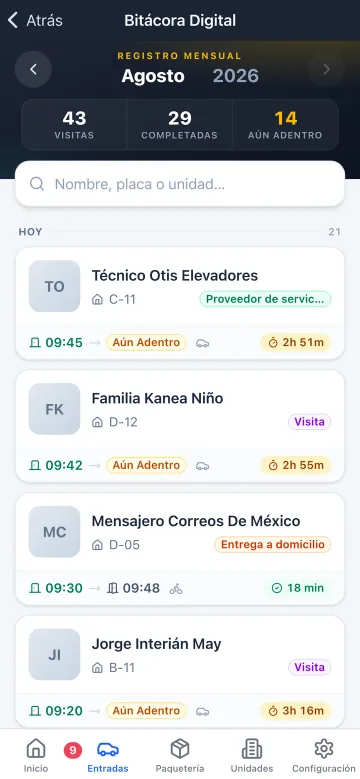
The visitor log in the Koti guard app with entries, exits and duration.

Log

The whole month, in a pocket

  • The month’s visits, how many closed out and how many are still inside
  • Search by name, plate or unit, grouped by day
  • Each record with entry time, exit time, duration and a flag when a stay runs long

Resident

The resident hears about it without coming down to ask

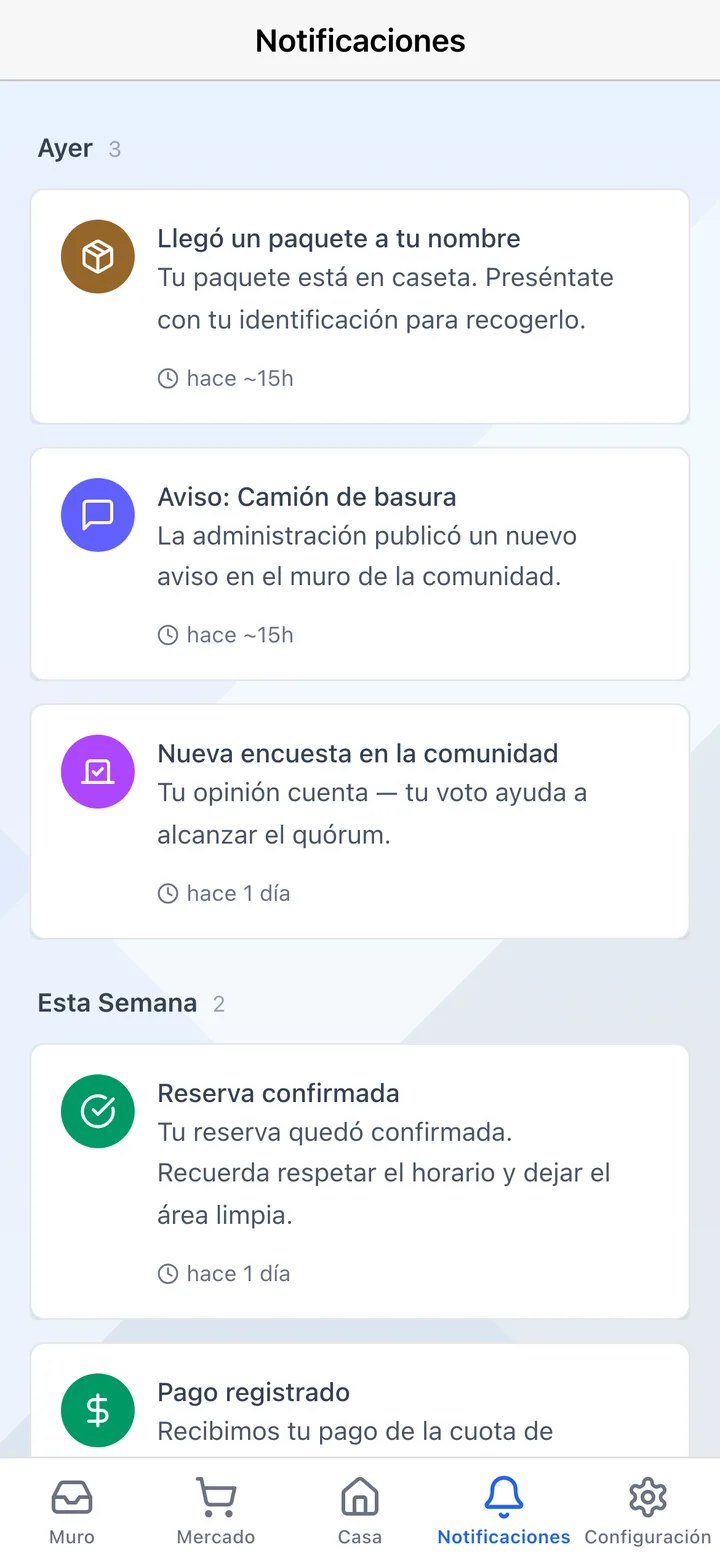
One-tap alerts to the whole community — trash truck, water delivery, gas, utility readings and more.

Notifications in the Koti app showing the alerts the gatehouse sends the community.

Alerts

The water truck just came in

  • Trash truck, water tanker, gas, utility meter reading, water or power outage
  • The alert goes out with one tap at the gate and reaches every phone in the community
  • Management defines the alert types, with their wording, their icon and their channel

Admin

And you see it all in real time

Every access, package and alert your guards register appears instantly in the admin panel: visitor log, a live count of people inside, and reports by unit.

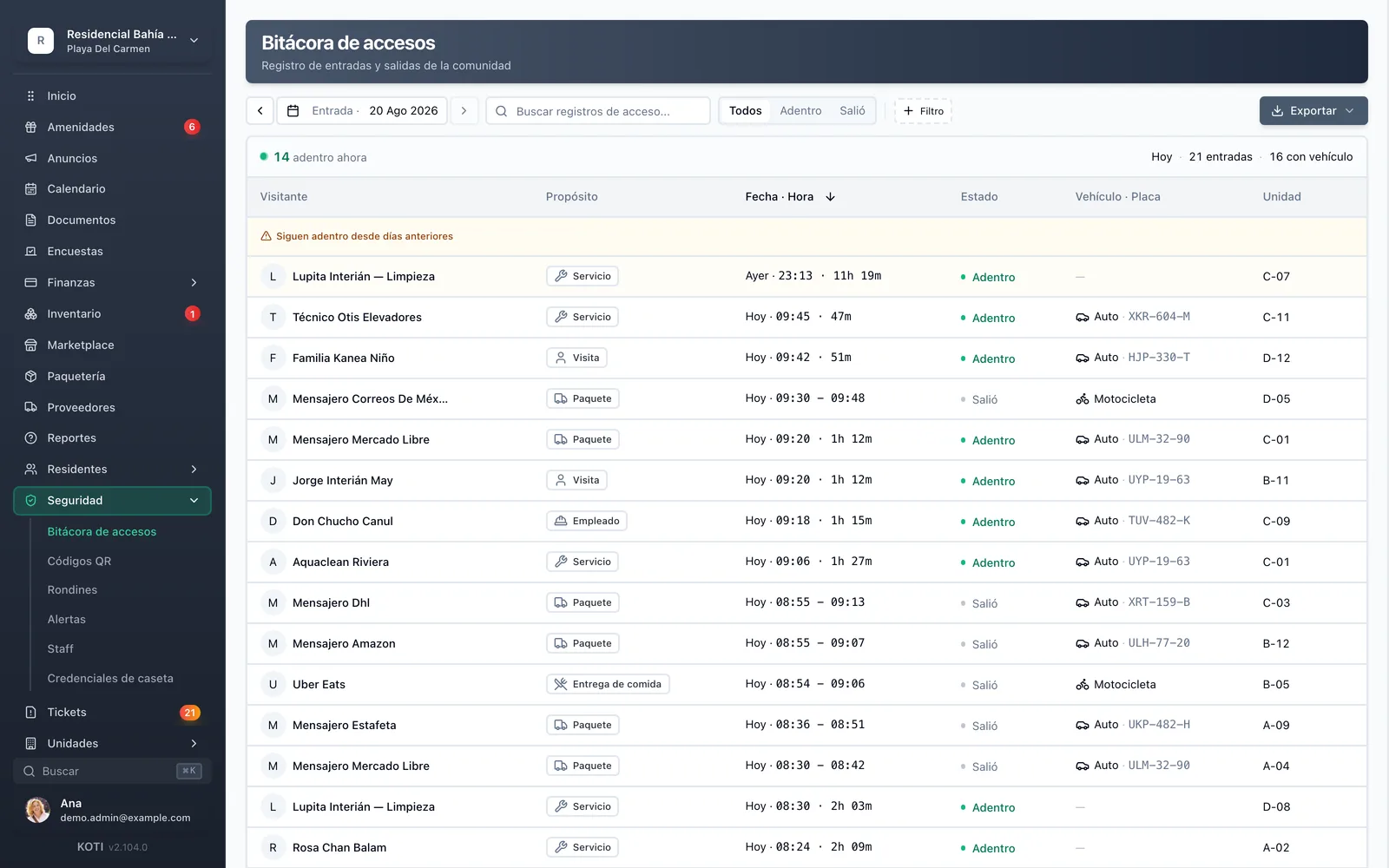
Koti admin panel access log: visitor entries, vehicles and a live count of people inside.

Access log

Filter, search, export

  • Filters by purpose, by still-inside or exited, by vehicle, destination and unit
  • Export to CSV and to an auditable PDF — and the export itself is logged
  • ID and plate photos never travel in the listing: they load only when a record is opened
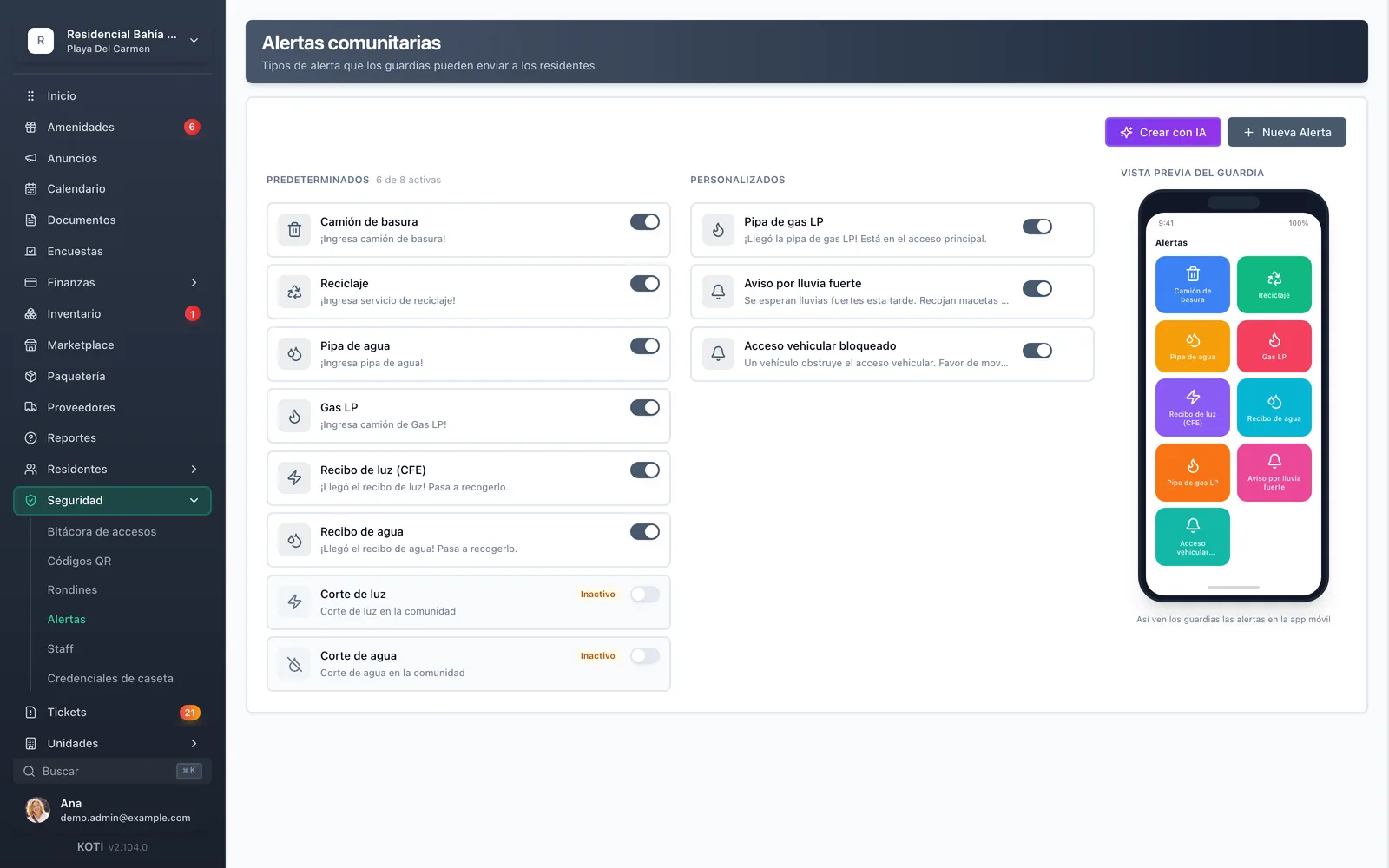
Community alert settings in Koti with the alert types the gatehouse can send.

Alerts

What the gatehouse is allowed to announce

  • Eight ready-made alerts: trash, recycling, water tanker, gas, electricity bill, water bill, power outage and water outage
  • Edit the wording in Spanish and English, the icon and the channel, or create your own with Kornelio’s help
  • Preview how the alert will look on the guard’s phone before you enable it
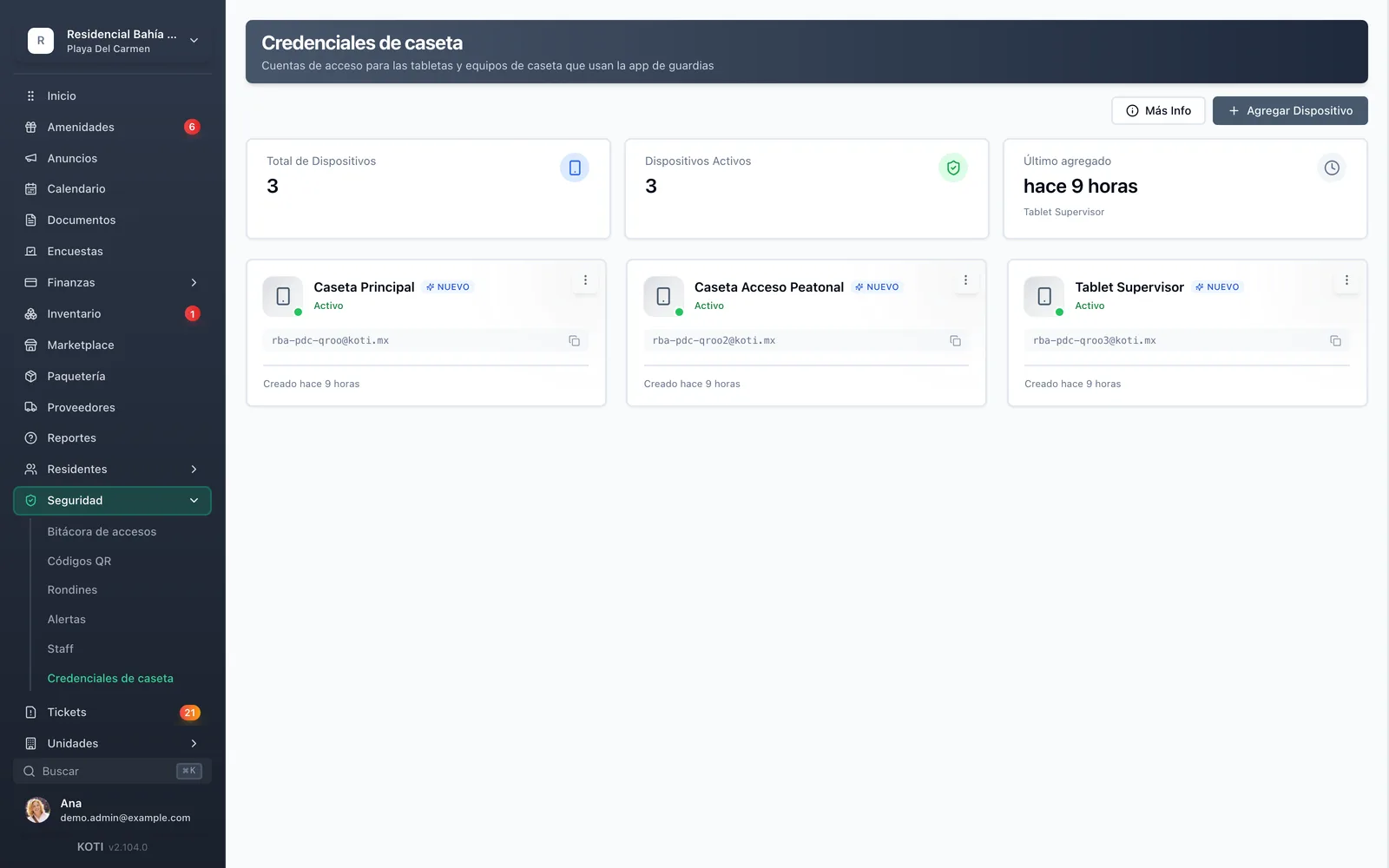
Gatehouse credentials in Koti: sign-in accounts for security tablets and devices.

Credentials

Accounts for the gatehouse devices

  • One credential per gatehouse tablet or phone, created just by giving it a label
  • The password is displayed exactly once and can never be retrieved again
  • Revoke it the day the security company changes, without touching anything else in the system

In detail

Gatehouse & guard app, in detail

Digital patrol rounds with evidence

Management builds routes on a satellite map, on the building’s floor plan, or as a plain list of points, and decides which ones require a photo. The guard marks each checkpoint as they walk it, with the progress bar in view; on finishing, the system names the checkpoints left unrecorded and asks for a closing note. The recap keeps duration, photo count and who walked it — and the panel shows how many rounds are in progress right now.

QR scanning without a reader

All they need is a smartphone with a camera. The code is re-validated against the server before the gate opens, and if something is off the guard gets a specific message: expired, already used, or not valid yet.

Full manual entry

Vigilantes register a walk-in by purpose, vehicle and unit with an ID photo. Purpose distinguishes resident, visit, guest, worker, transport, food delivery, parcel delivery and service provider, and the delivery and courier companies appear with their logos so they can be picked in one tap.

Plate recognized as it is typed

As the guard types the plate, the app checks it against the resident vehicle directory and tells them on the spot whether the car is registered and to which unit. The neighbour who lives there stops having to identify themselves every night.

Exits and a live count

The exits screen lists everyone still inside, broken down by who came in by car, by motorcycle or on foot, with search by name, plate or unit. Each record shows how long the visit has run and flags a stay that has gone on too long.

Community alerts

One-tap alerts to the whole community — trash truck, water tanker, gas, utility bills and more. Management defines which alerts exist, with their wording in Spanish and English, their icon, and whether they go to the feed, to push, or in-app.

An exportable, auditable log

Every entry and exit is recorded with time, purpose and duration, building a complete access history you can filter by purpose, vehicle, destination and unit. It exports to CSV or an auditable PDF, and the export itself is logged. ID and plate photos load only when a record is opened, never in the listing.

Units and vehicles from the gate

A numeric keypad to look up a unit by number, with who lives there and their role. Whether the guard can see an occupant’s phone and email, or the vehicle directory, are community decisions and both are off by default.

Built for Mexico

The Mexican gatehouse, exactly as it works

Half a Mexican guard’s day is not access control: it is telling 120 families that the water truck has arrived.

Alerts that only exist here

Trash truck, water tanker, LP gas, meter reading, water cut and power cut: the alerts a guard gives ten times a month, resolved with one tap instead of ten calls.

No hardware to buy

The gatehouse runs from an ordinary phone or tablet. No turnstile, card reader or cabling needed to start tomorrow, and nothing to renegotiate with the security company.

The ID at the entrance

The habit of asking a visitor for ID becomes a photo record living behind role-based access control — not in an open notebook on the counter — and it only opens when the detail is consulted.

Your turn: set it up in 5 minutes

Try Koti in your community today, without the headaches.

14-day free trial · No credit card required

Prefer to be shown around? Book a demoMessage us on WhatsApp

Security & compliance

SSL/TLS encryption

All communications encrypted and sensitive data protected in transit and at rest.

LFPDPPP compliant

Personal data protection compliant with Mexican law (LFPDPPP).

Daily backups on AWS

AWS infrastructure with automatic daily backups.

Frequently asked questions

They only need a smartphone with a camera (iOS or Android). No additional hardware like card readers, turnstiles or biometric scanners is required. The app works on any modern phone, and because everything lives in the cloud, swapping devices never loses a single record.
The gatehouse needs an internet connection to operate. That is deliberate: every scan is validated against that QR code’s real state at that moment — validity, cancellation, restrictions — and a record saved locally and synced later cannot give you that guarantee. The app is lightweight and works fine over mobile data, so a backup data plan on the gatehouse phone is enough to keep access running through a fibre outage.
Guards can create incident reports directly from the app with photos, description, and location. Administrators receive instant notifications and can follow up from the web panel. Everything is documented with date, time, and evidence.
Yes, there’s no limit on the number of guards. Each guard has their own account and all records sync in real-time. This is ideal for condos with multiple guard booths or security shifts.
The app is intuitive and doesn’t require extensive training. We offer step-by-step guides and technical support for initial setup. Most guards are operating confidently in less than 30 minutes.

Start with 14 free days

Set up your community in minutes and try all of Koti — no card, no lock-in.

No credit card requiredSee pricing

See everything in Operations
Questions? Chat with us