Access control is one of the fundamental pillars of security in any condominium. For decades, traditional methods such as physical keys, magnetic cards, and paper logbooks have been the norm. However, these systems have significant limitations: keys are duplicated without control, cards get lost or demagnetized, and manual logbooks are inefficient and difficult to audit.
QR code technology has changed how condominiums manage access for residents, visitors, and service providers. A QR access control system generates unique, trackable codes with limited validity, improving security without sacrificing convenience. In this guide we explain everything you need to know to implement one in your community, from the basics to security best practices and choosing the right provider.
One note on how this is written: Koti is our product and this guide recommends it at the end, so every criterion we propose is a criterion Koti has to pass. Where the platform lacks something, we say so in the same paragraph instead of leaving it out.
What Is QR Access Control and How Does It Work?
QR access control is a security system that uses Quick Response codes to authorize the entry and exit of people in a condominium. Unlike traditional methods, QR codes are generated digitally, can be shared securely, and are validated in real time.
How does the process work?
- Code generation: A resident or administrator generates a QR code from a mobile app or web platform. On the server, that code is tied to the visitor, to the validity window it was given, and to the unit authorizing entry.
- Secure sharing: The QR code is sent to the visitor via WhatsApp, email, or any digital channel. No printing is required.
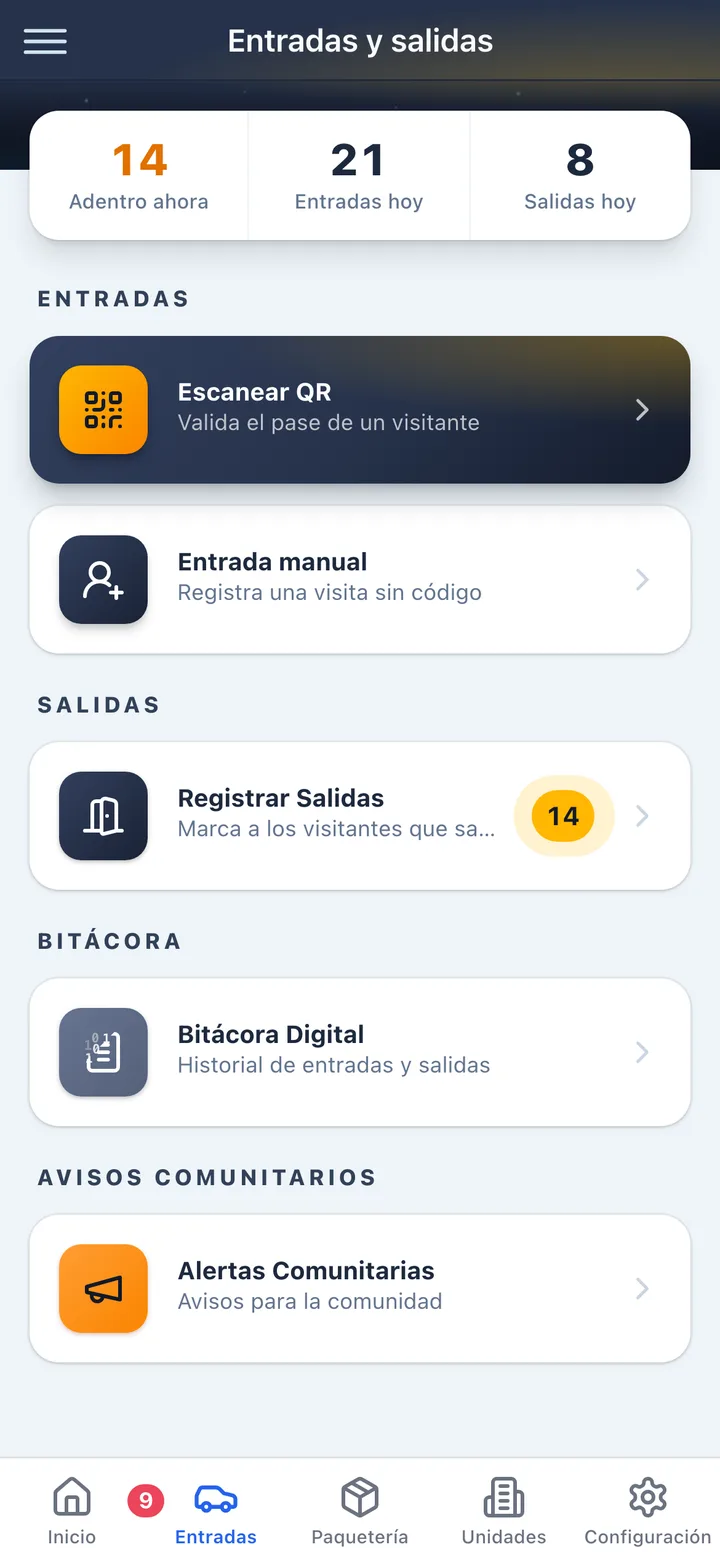
- Gatehouse validation: Upon arrival, the visitor presents the QR code (on their phone or printed). The security guard scans it with a dedicated device or security app.
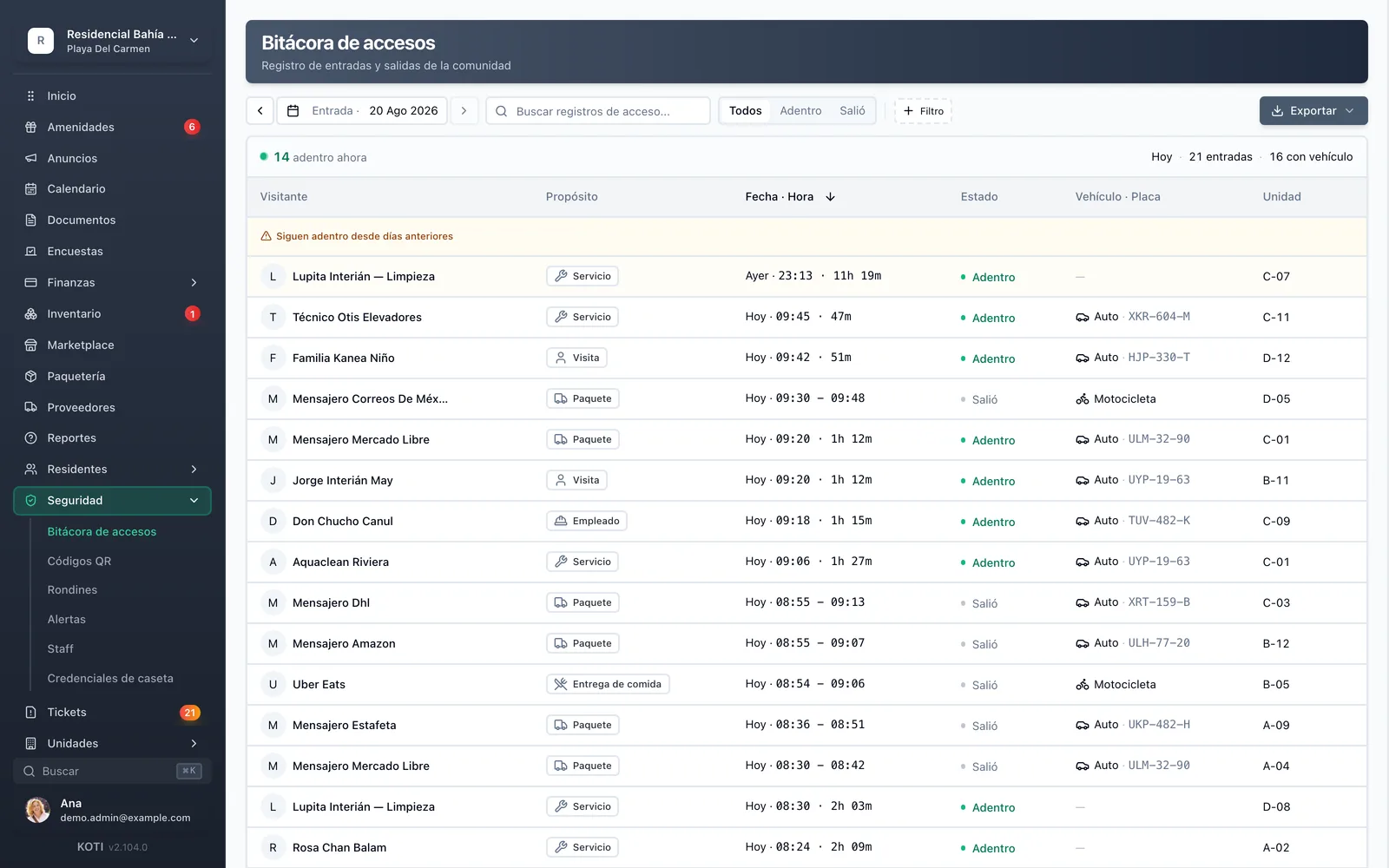
- Automatic logging: The system automatically records the entry time, visitor identity, and the unit that received them. All information is stored for later reference.
- Exit control: The same code can be used to log the exit, providing complete control over the length of stay.
Technology behind QR
A QR code can store up to 4,296 alphanumeric characters, but a good access system stores no personal data inside the code: what travels in the QR is an opaque identifier, meaningless outside the platform. The visitor's details live on the server and are looked up at the moment of the scan.
Two properties follow from that, and they are worth understanding before you compare vendors. First: a code can be revoked in seconds even if the visitor already has it saved on their phone, because what gets cancelled is the server-side record, not the image. Second: intercepting the code reveals nothing — not the visitor's name, not the unit, not who authorized it. A system that did put the data inside the code would have the opposite problem: information travelling on its own that can no longer be switched off.
Benefits of QR vs. Traditional Access Control Methods
Transitioning from traditional methods to a QR access control system for condominiums represents a significant improvement in security, efficiency, and experience for both residents and visitors. Here is a comparison of the most common methods:
Physical keys and cards vs. QR
- Keys can be duplicated without authorization; QR codes are unique and non-replicable
- Magnetic cards demagnetize or get lost; QR codes live on the user's phone
- Replacing keys or cards has a cost; generating a new QR code is instant and free
- Keys leave no usage record; every QR scan is logged with date, time, and access point
Paper logbooks vs. QR
- Manual logbooks are slow and create lines at the entrance; scanning a code is a matter of seconds
- Illegible handwriting and incomplete data are common on paper; the digital system captures complete, standardized information
- Searching a record in paper logbooks can take hours; digital search is instant
- A logbook page can be torn out or corrected with a pen; a digital record keeps its timestamp and the guard who captured it
Phone calls vs. QR
- Authorizing visitors by phone interrupts the resident; the QR code is generated in advance without interruptions
- The guard must call for each visitor, creating bottlenecks; QR is self-service at the gatehouse
- There is no reliable record of phone authorizations; every QR authorization is documented
Additional benefits of QR access control:
- Enhanced security: Each code is unique, has limited validity, and can be revoked at any time
- Convenience for residents: They authorize visitors from their mobile app without needing to be present
- Operational efficiency: the guard scans instead of hand-writing name, unit and time, so the queue at the gate stops depending on how fast someone can write
- Complete traceability: Detailed history of all access events for audits and reports
- No replacement costs: No cards to replace or keys to duplicate
- Scalability: Easily adapts to condominiums of any size
Types of QR Codes for Condominium Access Control
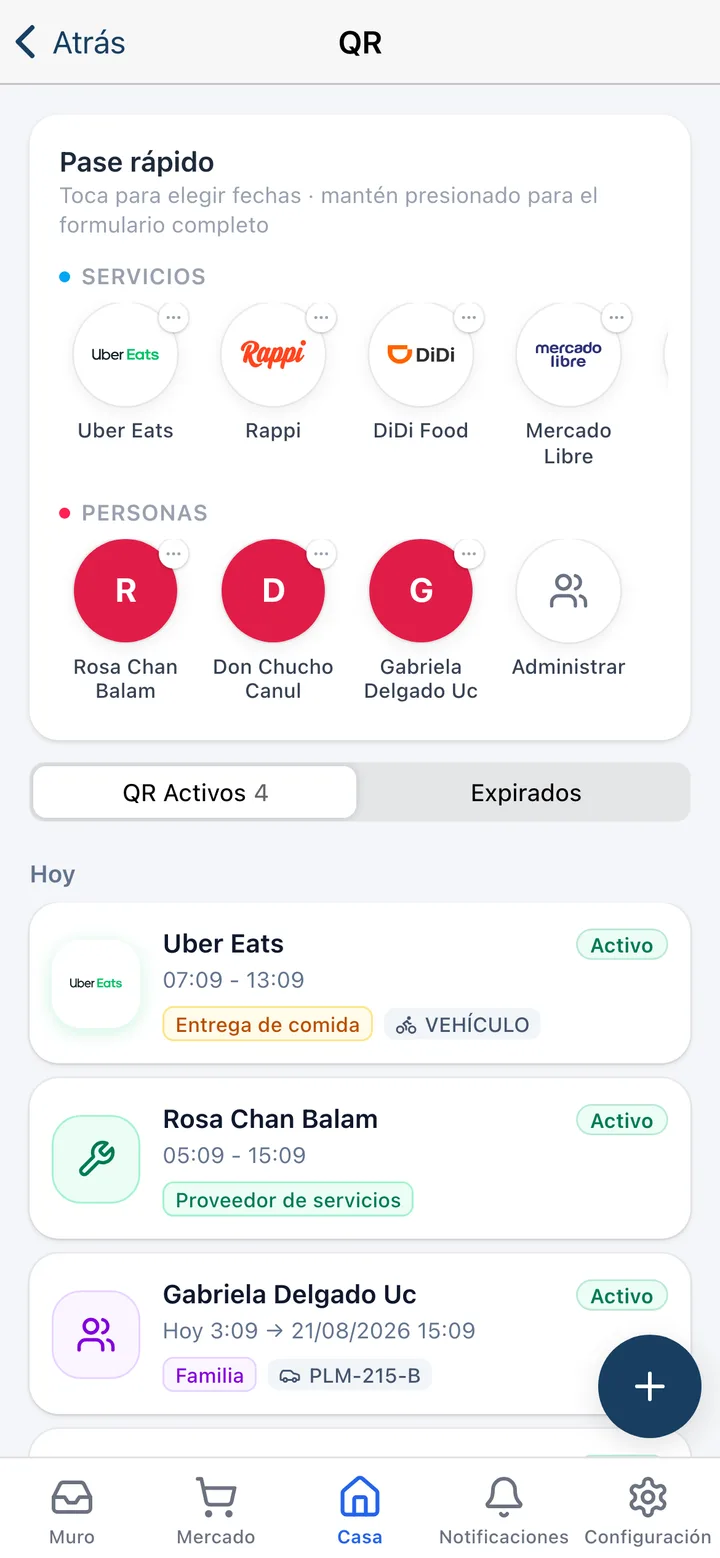
A QR access control system does not need an endless catalog of code types: it needs enough to cover how people actually enter a condominium. Koti ships three, and each one solves a different case.
1. Single-use code
- For the one-off visit: Saturday's dinner, the relative dropping by for the afternoon
- It is invalidated on the first scan, so it cannot be reused or forwarded to somebody else
- This is the sensible default for any social visit
2. Date-range code
- For anyone coming several days running: the architect on the remodel, the person who helps at home, a work crew
- The resident sets a start and an end date; outside that window the code does not open
- It avoids generating a new code every morning without leaving a pass open forever
3. Party code
- One code that admits several guests across several scans
- Built for gatherings and events at home, so nobody has to generate thirty codes
- The gatehouse still logs each entry separately, so the access log loses no detail
The visit category
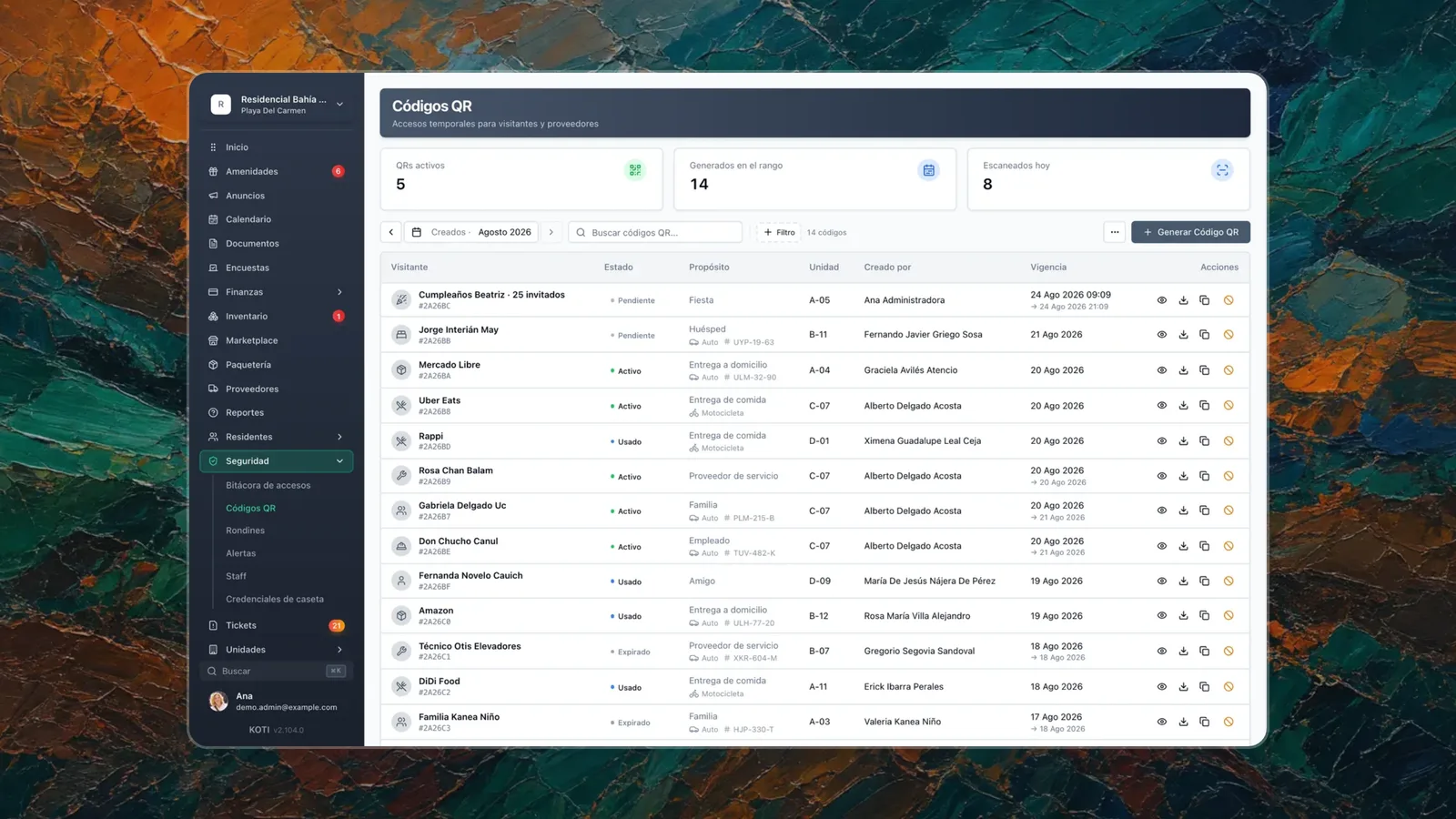
Each code is assigned a category — family, worker, delivery or vendor — and that category travels with the code all the way to the access log. It is the difference between a list of names and knowing who actually enters your community: how many deliveries arrive each month, what time domestic staff come in, which units receive the most visitors. When the committee asks why the gatehouse needs more cover on Fridays, that is the data that answers.
Blocking codes for units behind on fees: the feature almost nobody compares
This is the access lever most often overlooked when evaluating vendors. In Koti, management can switch on a rule where units with overdue fees lose the ability to generate visitor codes, after whatever grace period the community sets, so a two-day delay does not cost somebody a visit.
Three clarifications, because this feature is easy to misread. It is not on by default: you enable it once the community approves it. It does not block the resident or their family from entering their own home; what is suspended is the ability to generate codes for third parties. And it is independent of the amenity-booking restriction, so you can use one without the other.
Before switching it on, check what your local statute and internal rules allow in terms of collection measures: in Quintana Roo, for instance, suspending services requires prior authorization from the Oversight Committee, as we explain in our guide to the Quintana Roo condominium property law. If what you are after is the full collection toolkit, it lives in delinquency control.
What not to assume
Codes restricted to a time window, codes limited to one zone of the community, and emergency passes are features some catalogs advertise and others do not. Koti does not have them today. If they matter to you, ask for them in the demo and see them on screen before you sign: they are exactly the kind of feature that gets assumed at signature and shows up — or does not — in month three.
Step-by-Step Guide to Implementing QR Access Control
Implementing a QR access control system in your condominium does not have to be complicated. Follow these steps for a successful transition:
Step 1: Needs assessment and current situation evaluation
Before selecting any system, perform a complete assessment:
- Identify how many access points (vehicular and pedestrian gates) need control
- Determine the approximate daily volume of visitors, providers, and deliveries
- Evaluate the existing technology infrastructure: is there internet at the gatehouses? Do guards have mobile devices?
- Document the current security problems you want to solve
- Consult with residents to understand their expectations and concerns
Step 2: Provider and platform selection
Choose a provider that fits your condominium's specific needs:
- Look for solutions designed specifically for condominiums, not generic systems
- Verify it offers an app for both residents and security staff
- Make sure it includes technical support and training in your language
- Compare plans and pricing based on the number of units in your condominium
- Request a demo or trial period before committing
Step 3: Infrastructure preparation
Set up the necessary physical and digital infrastructure:
- Ensure stable internet connectivity at all gatehouses and access points
- Acquire the necessary devices: tablets or smartphones for scanning at gatehouses
- Install clear signage so visitors know where to present their QR code
- Set up a dedicated Wi-Fi network for security devices
- Verify adequate lighting for nighttime code scanning
This is where budgets blow up, because some systems require proprietary readers, turnstiles or dedicated tablets. With Koti you buy no hardware: the guard app runs on the phone the vigilante already carries, and because everything lives in the cloud, swapping devices never loses a single record.
Step 4: System configuration
Once the infrastructure is ready, configure the platform:
- Register all housing units and common areas in the system
- Upload the resident directory with their contact information
- Define the roles and permissions of your staff and gatehouse: administrator, security guard, resident
- Configure the access rules: who can generate codes, of which type, and what happens when a unit falls behind on fees
- Set up notification templates for automatic alerts
Step 5: Security staff training
The system's success largely depends on adoption by staff:
- Conduct in-person training sessions with all security shifts
- Practice the complete process: from receiving the visitor to scanning and logging
- Explain how to handle special situations: expired codes, visitors without codes, emergencies
- Provide quick reference material (printed or digital guide) for the gatehouse
- Designate a point person per shift to resolve questions during the first weeks
Step 6: Launch and resident communication
Engage residents for successful adoption:
- Send communications explaining the new system, its benefits, and the start date
- Organize informational sessions or share video tutorials on how to generate QR codes
- Offer a transition period where the old and new systems coexist (2-4 weeks)
- Provide a support channel to resolve resident questions
- Highlight the immediate benefits: greater security, convenience, and speed
Step 7: Monitoring, feedback, and optimization
After launch, the work continues:
- Review access reports weekly during the first month
- Collect feedback from residents, guards, and visitors
- Adjust configurations based on real needs (schedules, code validity periods)
- Identify and resolve common problems quickly
- Evaluate key metrics: average registration time, security incidents, resident satisfaction
Security Best Practices for QR Codes in Condominiums
Security is the main reason for implementing a QR access control system. To ensure the system fulfills its purpose, it is essential to follow these best practices:
Data protection
- Require the code to be an opaque identifier with no personal data inside: that is what lets you revoke it at any moment and what makes intercepting it useless
- No visitor data should travel inside the code, in the clear or encrypted — whatever sits inside the QR can no longer be switched off
- Ensure traffic between the resident app, the gatehouse and the server runs over HTTPS/TLS
- Visitor and resident personal information must be handled under Mexico's Federal Law on Protection of Personal Data Held by Private Parties (LFPDPPP). And it is not only federal rules: in Quintana Roo the condominium statute itself picks this up — article 69 forbids the Administrator from sharing owners' sensitive or personal information without written consent or the grounds set out in the LFPDPPP. In Mexico City, article 43 fraction XII (b) requires personal data in the arrears list to be withheld, accessible only to the Oversight Committee or an authority requesting it on duly founded and reasoned grounds. The condominium's management is the data controller; the platform acts as processor
Validity periods and automatic expiration
- Configure appropriate validity periods by code type: social visits should not exceed 24 hours; recurring providers can have weekly validity
- Codes must expire automatically without manual intervention
- Implement a usage limit per code: a visitor code should generally be single-use
- Delivery driver codes should have the shortest possible validity
Immediate revocation
- Residents and administrators must be able to revoke any active code in real time
- When a resident moves out, all their codes and authorizations must be automatically deactivated
- At any suspicion of misuse, the system must allow immediate access blocking
- Maintain a clear protocol for emergency revocation
Logging and audit
- Each scan must generate a record with: date, time, scanned code, access point, scanning device, and result (access granted or denied)
- Records must carry a timestamp and be closed to manual editing, so they hold up as evidence
- Retain records for a minimum period of 12 months
- Generate periodic reports of denied access events to detect suspicious patterns
Complementary physical security
- The QR system should be complemented with security cameras at access points
- Maintain a manual backup procedure for technology failures or a prolonged connection outage
- Scanning devices must be protected against theft and tampering
- Perform periodic system tests to ensure proper operation
Ongoing training
- Update security staff on new threats and procedures
- Conduct periodic drills for emergency situations
- Report and analyze any security incidents to continuously improve the system
How to Choose a QR Access Control Provider for Your Condominium
Choosing the right provider is a decision that will impact your condominium's security and daily operations for years. These are the most important criteria to evaluate:
Essential features
- QR code generation from mobile app and web platform
- Dedicated app for security staff with integrated scanning
- Several code types: single-use, date-range, and one for events with many guests
- Visit categories that travel with the code all the way to the access log
- Administration dashboard with reports and access statistics
- Real-time notifications for residents and administrators
- Complete and exportable history of all access events
User experience
- The app must be intuitive for residents of all ages
- The process of generating and sharing a QR code must be completed in less than 30 seconds
- The security guard must be able to scan and validate a code in less than 5 seconds
- Support for multiple languages if your condominium has international residents
Integration with other systems
- QR access control is more powerful when integrated with a complete management ecosystem
- Look for platforms that include resident management, billing, amenity booking, and communication
- Integration with package tracking systems avoids tool fragmentation
Support and reliability
- Technical support with guaranteed response times
- System availability above 99.5%
- Contingency plan in case of service outage
- Regular updates with security improvements and new features
Price and scalability
- A transparent, published pricing model, with no hidden implementation, training or support costs
- Clarity on what is charged per community and what per unit: both models coexist in this market and cannot be compared head to head
- Ability to scale as the condominium grows or access points are added
- Free trial period to evaluate the platform before subscribing
Why consider Koti?
Koti's QR code system is built for how a community is actually run in Mexico. The resident generates the code from their app — single-use, date-range or party — and shares it over WhatsApp; the vigilante scans it from their own phone with the security app, with no extra hardware; and management sees every active code by unit and by type on one dashboard, with the ability to cancel any of them instantly and to block code generation for units behind on fees.
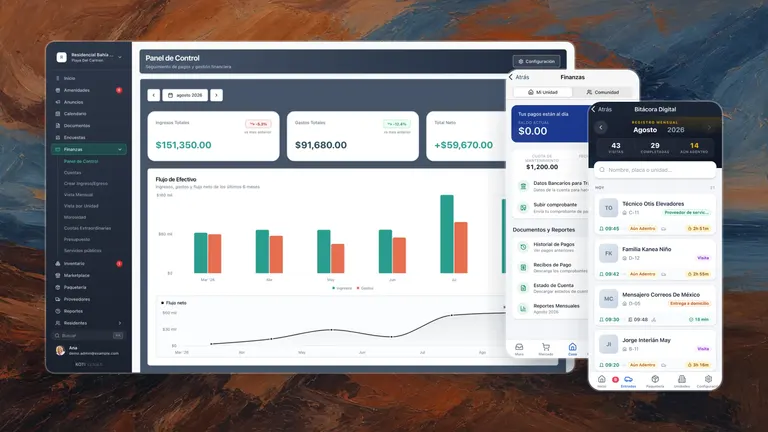
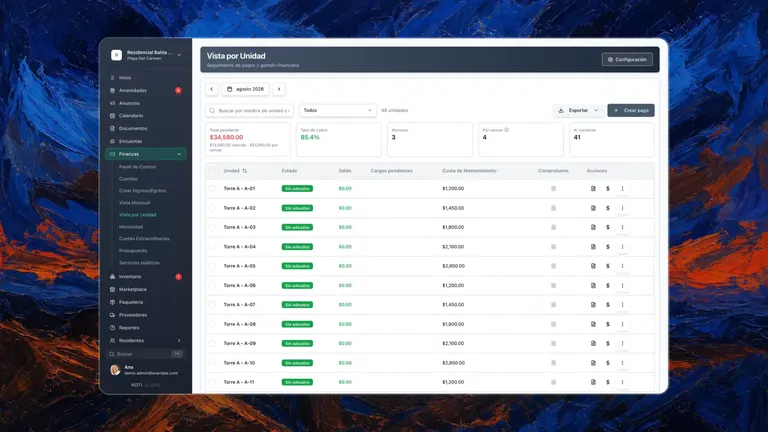
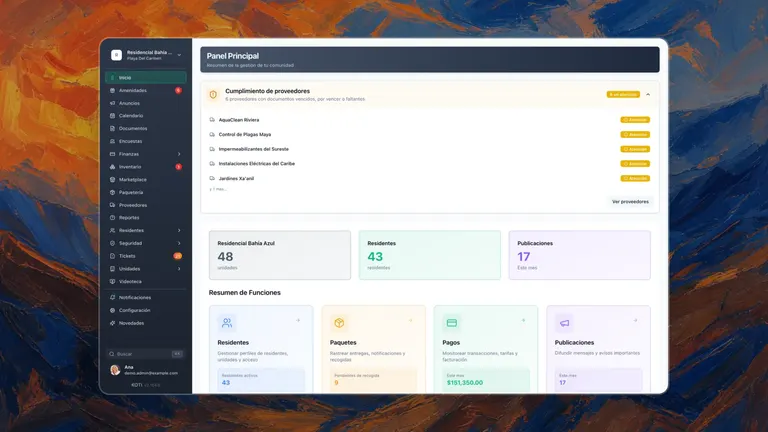
On top of that, access control shares a platform with resident management, fee collection, amenity booking and package tracking, so the gatehouse log and the unit's account statement are part of the same file.
You can explore all features and request a free trial from the Koti mobile app.
Frequently Asked Questions about QR Access Control in Condominiums
What happens if a visitor doesn't have a smartphone to show the QR code?
The QR code can also be printed on paper: the resident emails it and the visitor arrives with the sheet. If even that is impossible, the gatehouse is not left without a record. In Koti the vigilante can capture a manual entry from their app, with the purpose of the visit, the destination unit, the vehicle and an ID photo, so the access is documented just as it would be with a code.
Is it safe to share a QR code via WhatsApp or email?
Yes, and the reason is not that the code is encrypted: it is that the code contains nothing. What gets shared is an opaque identifier that only means something inside the platform, so if somebody intercepts the image they get no visitor name, no unit, and no idea who authorized the entry. The real risk is a different one — somebody forwarding the code to a third party — and that is what limited validity, use limits and revocation are for: a single-use code stops working the moment the gatehouse scans it once, and any code can be cancelled from the app even if the visitor already has it saved.
How much does it cost to implement a QR access control system in a condominium?
Before accepting any per-unit “market range”, check how each vendor actually bills — the models are not comparable to each other. Our price comparison shows some vendors charging per home and others a monthly licence per community. Among the six in the platform guide, verified on 21 August 2026 on each vendor's own site, none publishes a per-unit price — four charge a monthly license per community banded by number of homes, and two publish no amount at all and quote case by case. Koti does publish a per-unit price: $19 MXN + VAT per unit per month, with a minimum fee of $760 MXN + VAT for communities under 40 units. When budgeting, add hardware: the up-front expense is usually the gatehouse scanning device (a tablet or a smartphone). And use the free trials before committing — Koti's runs 14 days and asks for no card.
Does the QR access system work when there is no internet?
The gatehouse needs an internet connection to operate, and in a good system that is a deliberate decision: every scan is validated against that code's real state at that moment — validity, cancellation, a block for unpaid fees — and a record saved locally and synced later cannot give you that guarantee. Be wary of anyone selling you offline mode as an advantage without explaining what it stops checking.
What you should demand is that the app be lightweight and work well over mobile data, so a backup data plan on the gatehouse phone covers a fibre outage. And keep a written manual protocol for prolonged outages: who gets called, what gets written down, and how it is captured afterwards.
How to handle resistance from older residents or those unfamiliar with technology?
The key is a gradual transition and personalized support. Offer in-person training sessions focused on older residents, provide printed guides with step-by-step instructions, and maintain the option to authorize visitors by phone during a transition period. What speeds up adoption most is the benefit people feel in practice: no longer walking down to the gatehouse every time a visitor arrives.
Implementing a QR access control system in your condominium is one of the most impactful decisions you can make to improve security, operational efficiency, and the experience of all residents. As we have seen in this guide, QR technology offers clear advantages over traditional methods: codes that are unique and revocable in seconds, convenience for residents authorizing visitors from their phone, and an access log that answers with data when there is an incident.
The key to success lies in well-planned implementation: assess your needs, choose a reliable provider, prepare your infrastructure, train your staff, and communicate effectively with residents. And before you sign, see the features you are taking for granted on screen — it is cheaper to find out in the demo than in month three.
If you are ready to take the next step, explore Koti's QR access control system and take a look at the gatehouse app your vigilantes will work with. Request a free trial — 14 days, no card — and check it against your real units and your real rules.
Try Koti for free
Simplify your condo management: dues, access and announcements in one place. 14 days free, no credit card.
Written by
Equipo Koti
Condo Management Experts
The Koti Smart Communities team shares knowledge and best practices for efficient condo and residential community management.